
Reviews
Your graphics add a nice touch to my presentations and I recently used them for one of my all-hands meetings. Your toolbox adds professionalism to my slides. Instead of using standard clipart.
I needed a fresh look at some of my slides. I've tried to find a way to create a paintbrush effect, to underline, accentuate, add some color and the handwritten markers were just the things. Very easy to use, easy to size, change the color. It was an affordable, perfect solution and I'm happy to recommend it.
The crisp, clean look of the graphics, and the fact that it allowed me to easily edit and change the colors to match the template was my main reason for purchasing them.
Description
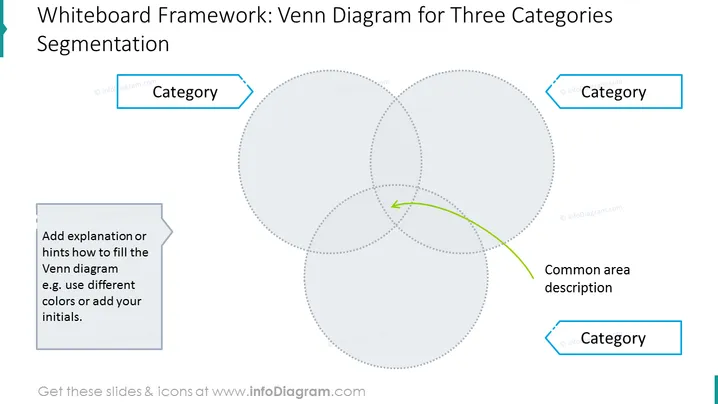
Whiteboard Framework: Venn Diagram for Three Categories Segmentation
Slide Content:
Venn Diagram - A graphical way of representing the logical relationships between sets.
- Three Categories Segmentation - Dividing a set into three subsets based on shared characteristics.
- Common Area Description - The area of a Venn diagram that overlaps all three circles represents the elements that share all three characteristics.
Graphical Look:
- The slide has a white background.
- The title is in black text and centered at the top of the slide.
- The Venn diagram is in the center of the slide and is composed of three overlapping circles.
- The left circle is labeled "Category 1", the middle circle is labeled "Category 2", and the right circle is labeled "Category 3".
- The common area of the Venn diagram is labeled "Common Area Description".
- The text "Add explanation or hints how to fill the Venn diagram e.g. use different colors or add your initials" is below the common area description.
- The text "Whiteboard Framework: Venn Diagram for Three Categories Segmentation" is at the bottom of the slide.
- The slide is overall simple and clean in design. The use of white space and black text makes the slide easy to read and understand.
Use Cases
Where to use such a slide?
A Venn diagram slide for three categories of segmentation can be used in a variety of settings, including:
- Business presentations: To illustrate the relationships between different products, services, or customer segments.
- Marketing presentations: To identify target markets or to develop marketing strategies.
- Product development presentations: To brainstorm new product ideas or to define product features.
- Sales presentations: To qualify leads or to close deals.
- Educational presentations: To teach students about complex concepts or to compare and contrast different ideas.
How to Edit
How to edit text & colors

How to expand / shorten diagram

How to Replace Icons in infoDiagram PPT


