
Reviews
Ihre Grafiken verleihen meinen Präsentationen eine nette Note, und ich habe sie kürzlich für eines meiner All-Hands-Meetings verwendet. Ihre Toolbox verleiht meinen Folien Professionalität, anstatt Standard-Clipart zu verwenden.
Ich brauchte einen neuen Blick auf einige meiner Folien. Ich habe versucht, einen Weg zu finden, einen Pinselschlag-Effekt zu erzielen, um zu unterstreichen, hervorzuheben, Farbe hinzuzufügen, und die handgeschriebenen Markierungen waren genau das Richtige. Sehr einfach zu bedienen, leicht in der Größe zu ändern, die Farbe zu ändern. Es war eine erschwingliche, perfekte Lösung und ich empfehle sie gerne weiter.
Die klare, saubere Optik der Grafiken und die Tatsache, dass ich die Farben leicht bearbeiten und an die Vorlage anpassen konnte, war mein Hauptgrund für den Kauf.
Description
Urgency
Slide Content
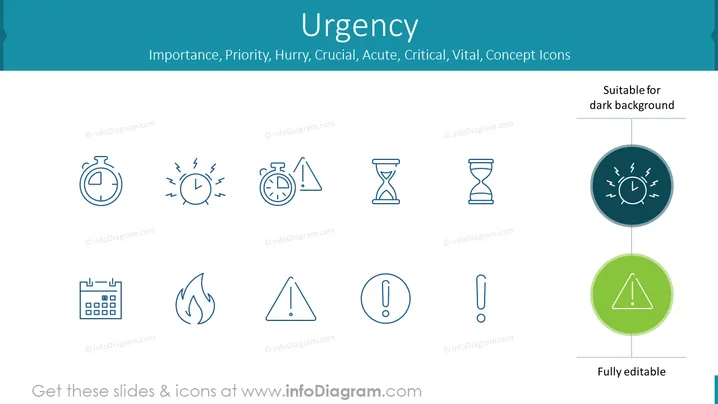
The PowerPoint slide titled "Urgency" showcases concept icons related to themes of importance, priority, hurry, crucial, acute, critical, and vital. The icons include a stopwatch, a clock with emanating waves indicating haste, a balance scale with time, and an hourglass for the concept of time slipping away. There is also a calendar implying scheduling, a flame signifying a burning issue, a warning triangle implying caution, and an exclamation mark highlighting immediate attention.
Graphical Look
- The background is a gradient of light to darker teal at the edges.
- The slide title "Urgency" is in a large bold font at the top.
- A subtitle below in a smaller font lists related concepts like "Importance, Priority, Hurry, Crucial" etc.
- There is a notice "Suitable for dark background" in the top right corner, indicating the icons can be used on different slide backgrounds.
- Eight concept icons are evenly spaced horizontally across the slide, aligned in two rows.
- The icons are monochromatic, using a single shade of dark teal.
- Each icon is paired with a circular shape – two of which are filled with color highlighting them; one in dark teal, the other in a contrasting green.
- Two horizontal lines stretch across the slide, framing the highlighted icons.
- The text "Fully editable" is placed at the bottom right corner, suggesting that the icons are customizable.
The slide has a clean, professional appearance with a simple color palette accentuating the icons. Each icon is designed minimally, which maintains the focus on conveying the intended ideas effectively.
Use Cases
- Presenting time management strategies during an organizational efficiency workshop.
- Emphasizing critical project deadlines in a project management presentation.
- Highlighting urgent action items in a business strategy or operations meeting.
- Incorporating into pitch decks to underline the timeliness or immediate need for investments.
How to Edit
How to edit text & colors

How to expand / shorten diagram

How to Replace Icons in infoDiagram PPT


