
Reviews
Your graphics add a nice touch to my presentations and I recently used them for one of my all-hands meetings. Your toolbox adds professionalism to my slides. Instead of using standard clipart.
I needed a fresh look at some of my slides. I've tried to find a way to create a paintbrush effect, to underline, accentuate, add some color and the handwritten markers were just the things. Very easy to use, easy to size, change the color. It was an affordable, perfect solution and I'm happy to recommend it.
The crisp, clean look of the graphics, and the fact that it allowed me to easily edit and change the colors to match the template was my main reason for purchasing them.
Description
Traction Metrics Chart
Slide Content
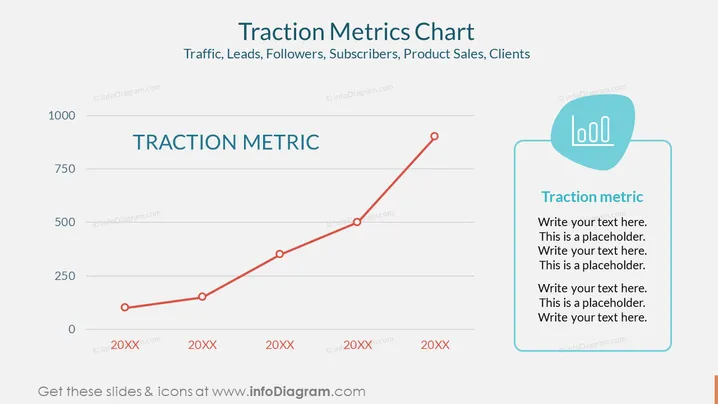
The slide presents a "TRACTION METRIC" with a left vertical axis ranging from 0 to 1000, and a horizontal axis with years marked as 20XX. It signifies some form of performance indicator, such as Traffic, Leads, Followers, Subscribers, Product Sales, or Clients. There's a rising line graph indicating an upward trend in the metric being measured. To the right, there is a text box for further explanation or details, with prompts such as "Write your text here," serving as a placeholder for customizable content.
Graphical Look
- The overall color scheme of the slide features shades of blue, red, and gray.
- A bold, blue title is centered at the top, above the main graphic.
- A line graph with a thick red line and three large circular data points depicts growth or progress over time.
- Each data point is marked with a hollow red circle.
- Horizontal gray lines represent the grid and scale for the vertical axis.
- Four discrete years are labeled along the horizontal axis, each denoted as "20XX" to indicate placeholders.
- A rectangular shaped textbox with a softly rounded speech bubble attached on the top is placed on the right side.
- An icon of three horizontal bars with bullet points is placed within the speech bubble, representing text or list items.
- Standard, medium-weight fonts are used for both the text within the graph and also within the textbox on the right.
The slide has a clean and professional design. The graphical elements guide attention towards the rising trend depicted by the line graph, while the text box on the right offers space for accompanying details.
Use Cases
- To present quarterly or yearly growth in key business metrics during an annual general meeting or investor briefing.
- For illustrating user acquisition, sales, or revenue trends in a startup pitch to potential investors.
- To show progress in social media engagement or marketing reach during a marketing team's performance review.
- As a visual summary in a quarterly business report to stakeholders, comparing targets with actual performance.
How to Edit
How to edit text & colors

How to expand / shorten diagram

How to Replace Icons in infoDiagram PPT


