
Reviews
Ihre Grafiken verleihen meinen Präsentationen eine nette Note, und ich habe sie kürzlich für eines meiner All-Hands-Meetings verwendet. Ihre Toolbox verleiht meinen Folien Professionalität, anstatt Standard-Clipart zu verwenden.
Ich brauchte einen neuen Blick auf einige meiner Folien. Ich habe versucht, einen Weg zu finden, einen Pinselschlag-Effekt zu erzielen, um zu unterstreichen, hervorzuheben, Farbe hinzuzufügen, und die handgeschriebenen Markierungen waren genau das Richtige. Sehr einfach zu bedienen, leicht in der Größe zu ändern, die Farbe zu ändern. Es war eine erschwingliche, perfekte Lösung und ich empfehle sie gerne weiter.
Die klare, saubere Optik der Grafiken und die Tatsache, dass ich die Farben leicht bearbeiten und an die Vorlage anpassen konnte, war mein Hauptgrund für den Kauf.
Description
3 Floors Pyramid Chart Template
Slide Content
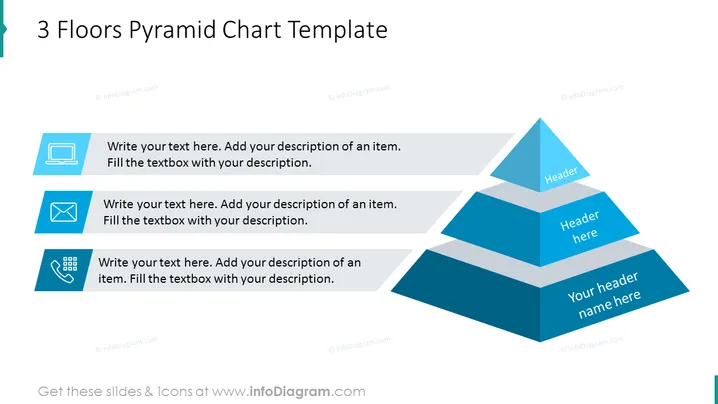
The slide presents a "3 Floors Pyramid Chart Template" with placeholders for adding text to each segment. It conveys a hierarchically structured concept with three levels. The bottom layer has a caption saying, "Your header name here," the middle layer has "Header here," and the top layer shows "Header," suggesting a top-down approach where the largest or foundational information is at the bottom, narrowed down to the top.
Graphical Look
- A three-tiered blue pyramid chart is positioned toward the right side of the slide.
- Three text boxes aligned to the left with corresponding icons for a laptop, mail, and calendar.
- The icons are simple and monochrome, matching the color scheme of the slide.
- Each pyramid section has a space for a header, with a decreasing size from the bottom to the top.
- The pyramid and the text boxes cast a light grey shadow on a white background, creating a 3D effect.
- The text within the placeholders is a generic instruction to "Write your text here. Add your description of an item."
- The font color for the text in the placeholders is dark grey, providing good contrast against the light background.
The slide has a clean and modern design with a simple color palette primarily consisting of varying shades of blue. The pyramid chart is visually prominent and suggests a structured layout for presenting information.
Use Cases
- To illustrate a hierarchy in organizational structure, showing levels of management or categorization.
- Displaying business strategies or plans, with the foundation at the bottom and specific goals or visions at the top.
- Teaching or presenting Maslow's hierarchy of needs in a psychology or business class.
- Summarizing levels of product or service offerings, from the base offering to the most premium option.
How to Edit
How to edit text & colors

How to expand / shorten diagram

How to Replace Icons in infoDiagram PPT


