
Reviews
Sus gráficos añaden un toque agradable a mis presentaciones y recientemente los usé para una de mis reuniones generales. Su conjunto de herramientas añade profesionalismo a mis diapositivas. En lugar de usar imágenes prediseñadas estándar.
Necesitaba un aspecto fresco para algunas de mis diapositivas. Había intentado encontrar una forma de crear un efecto de pincel, de subrayar, acentuar, añadir algo de color y los marcadores escritos a mano fueron justo lo que necesitaba. Muy fácil de usar, fácil de ajustar el tamaño, cambiar el color. Fue una solución asequible y perfecta, y estoy feliz de recomendarla.
El aspecto nítido y limpio de los gráficos, y el hecho de que me permitiera editar y cambiar fácilmente los colores para que coincidieran con la plantilla fue mi principal razón para comprarlos.
Description
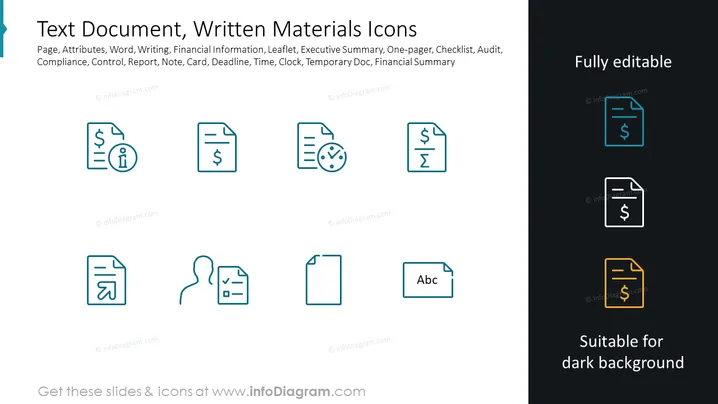
Text Document, Written Materials Icons
Slide Content: The slide presents a collection of icons representing various aspects of text documents and written materials. These icons symbolize page attributes, word processing, writing, financial information, leaflets, executive summaries, one-pagers, checklists, audits, compliance, control, reports, notes, cards, deadlines, time, clocks, temporary documents, and financial summaries. Each icon appears to visually encapsulate the concept it represents—for instance, a document with a checkmark for a checklist, a page with a dollar sign for financial information, and a clock for deadlines.
Graphical Look:
- The slide background is divided into a light grey left side and a black right side.
- A set of eight icons is evenly distributed over the light grey portion, aligned in two rows.
- Each icon consists of a stylized representation of a document-related concept, like a page with a dollar sign or a report with a user profile icon.
- On the dark right side, there are three icons - one in each box colored light blue, white, and yellow to demonstrate their visibility on different background colors.
- Each icon is enclosed within a rectangle with rounded corners, with the icons on the dark side being highlighted by a contrasting rectangle.
- The slide title is placed at the top in large bold letters on the light side.
- Beneath the icons on both sides are small text labels indicating "Fully editable" and "Suitable for dark background".
- A promotional footer with a URL spans the bottom of the slide.
The slide is clean and professional, using both color contrast and spatial alignment to provide a clear visual differentiation between icons tailored for light and dark backgrounds. The dichotomy of the light and dark background efficiently demonstrates the icons' versatility.
Use Cases:
- In a presentation detailing document management systems and processes.
- For illustrating workflow steps involving documentation in project management updates.
- While introducing a new documentation policy or standard in a company meeting.
- In educational materials explainingvarious document-related functions, like financial reporting or auditing procedures.
How to Edit
How to edit text & colors

How to expand / shorten diagram

How to Replace Icons in infoDiagram PPT


