
Reviews
Ihre Grafiken verleihen meinen Präsentationen eine nette Note, und ich habe sie kürzlich für eines meiner All-Hands-Meetings verwendet. Ihre Toolbox verleiht meinen Folien Professionalität, anstatt Standard-Clipart zu verwenden.
Ich brauchte einen neuen Blick auf einige meiner Folien. Ich habe versucht, einen Weg zu finden, einen Pinselschlag-Effekt zu erzielen, um zu unterstreichen, hervorzuheben, Farbe hinzuzufügen, und die handgeschriebenen Markierungen waren genau das Richtige. Sehr einfach zu bedienen, leicht in der Größe zu ändern, die Farbe zu ändern. Es war eine erschwingliche, perfekte Lösung und ich empfehle sie gerne weiter.
Die klare, saubere Optik der Grafiken und die Tatsache, dass ich die Farben leicht bearbeiten und an die Vorlage anpassen konnte, war mein Hauptgrund für den Kauf.
Description
Slide title. Text + picture
Slide Content
The slide is titled "Slide title. Text + picture," indicating a structure that combines written content with visual elements. Three bullet points suggest areas to input corresponding text, each prompt hinting at familiarity with business language and encouraging conciseness. These prompts might be placeholders for key points in a presentation, such as a project summary, highlighting benefits, or discussing challenges, which are typical in business or marketing presentations.
Graphical Look
- The slide title is in a large, bold white font, aligned to the left, and set against a dark background for high contrast.
- A light colored vertical bar adds visual interest to the left of the title.
- There are three bullet points, each introducing a text placeholder in a smaller font size than the title, suggesting hierarchy in the content.
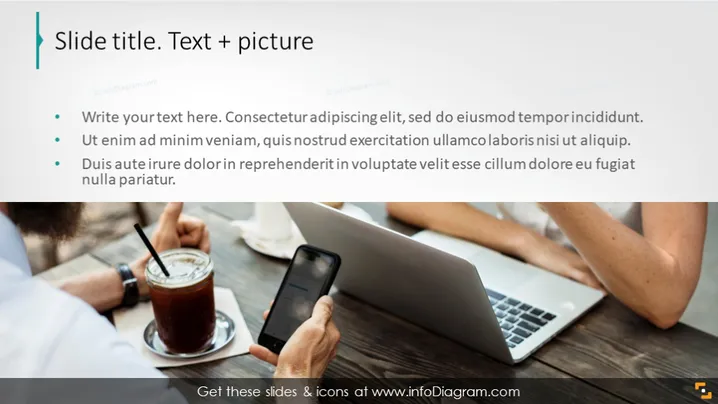
- The image occupies the right half of the slide, showing a close-up of hands at a workspace.
- A person's hands are visible, one holding a smartphone and the other resting near a laptop with a visible keyboard and trackpad.
- A blurred iced drink is also visible, denoting a casual or informal work setting.
- The color palette of the image is natural and subdued, with a focus on earth tones.
The overall look of the slide is professional, with a clear division between textual content on the left and a contextual image on the right. The color scheme is neutral, and the slide employs a minimalist design that emphasizes content over heavy graphics or decoration.
Use Cases
- Introducing a mobile app or technology product, where the image can suggest hands-on interaction or user experience.
- Discussing remote work or productivity, using the image to convey a setting outside of the traditional office.
- Presenting marketing strategies, specifically targeting on-the-go consumers or lifestyles that integrate digital connectivity.
- Starting a conversation about work-life balance, with the image representing the blending of personal and workspaces.
How to Edit
How to edit text & colors

How to expand / shorten diagram

How to Replace Icons in infoDiagram PPT


