
Reviews
Sus gráficos añaden un toque agradable a mis presentaciones y recientemente los usé para una de mis reuniones generales. Su conjunto de herramientas añade profesionalismo a mis diapositivas. En lugar de usar imágenes prediseñadas estándar.
Necesitaba un aspecto fresco para algunas de mis diapositivas. Había intentado encontrar una forma de crear un efecto de pincel, de subrayar, acentuar, añadir algo de color y los marcadores escritos a mano fueron justo lo que necesitaba. Muy fácil de usar, fácil de ajustar el tamaño, cambiar el color. Fue una solución asequible y perfecta, y estoy feliz de recomendarla.
El aspecto nítido y limpio de los gráficos, y el hecho de que me permitiera editar y cambiar fácilmente los colores para que coincidieran con la plantilla fue mi principal razón para comprarlos.
Description
Scrum Icons: Roles
Slide Content
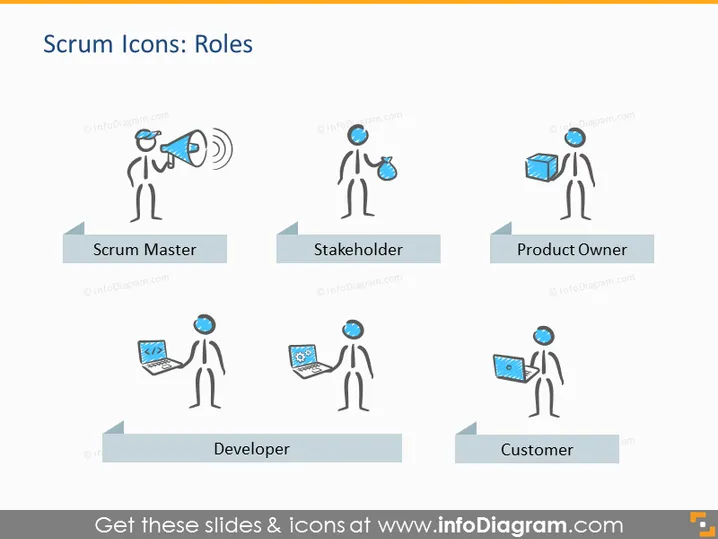
The PowerPoint slide introduces the roles within a Scrum team through stylized icons. A Scrum Master is represented holding a megaphone, signifying the role's function in facilitating communication. A Stakeholder is shown with a timer, reflecting their interest in project timelines. The Product Owner is depicted with a product box, highlighting their responsibility for the product vision. The Developer is portrayed with a laptop, indicating their role in building the product. A Customer is shown receiving a product, which underscores their role as the recipient of the team's efforts.
Graphical Look
- Stick figure icons represent roles in Scrum: a Scrum Master, a Stakeholder, a Product Owner, a Developer, and a Customer.
- Icons are accompanied by distinct visual elements symbolizing their roles: a megaphone, a timer, a product box, a laptop, and a finished product box.
- Each icon is labeled with its respective role written on a ribbon-like grey shape beneath it.
- The slide background is plain white, allowing the colored icons and labels to stand out.
- The fonts used for the titles and labels are sans-serif, modern, and easily readable.
The overall look of the slide is clean and professional with a touch of playful due to the stick figure icons. It's designed to communicate role responsibilities at a glance.
Use Cases
- Explaining the Scrum framework roles in educational settings or training workshops.
- Introducing team members to their roles and responsibilities in a Scrum project kickoff meeting.
- Visually aiding a discussion on role distribution in Agile transformation initiatives within an organization.
- Clarifying the functions and importance of each role during stakeholder presentations of Agile methodologies.
How to Edit
How to edit text & colors

How to expand / shorten diagram

How to Replace Icons in infoDiagram PPT


