
Reviews
Ihre Grafiken verleihen meinen Präsentationen eine nette Note, und ich habe sie kürzlich für eines meiner All-Hands-Meetings verwendet. Ihre Toolbox verleiht meinen Folien Professionalität, anstatt Standard-Clipart zu verwenden.
Ich brauchte einen neuen Blick auf einige meiner Folien. Ich habe versucht, einen Weg zu finden, einen Pinselschlag-Effekt zu erzielen, um zu unterstreichen, hervorzuheben, Farbe hinzuzufügen, und die handgeschriebenen Markierungen waren genau das Richtige. Sehr einfach zu bedienen, leicht in der Größe zu ändern, die Farbe zu ändern. Es war eine erschwingliche, perfekte Lösung und ich empfehle sie gerne weiter.
Die klare, saubere Optik der Grafiken und die Tatsache, dass ich die Farben leicht bearbeiten und an die Vorlage anpassen konnte, war mein Hauptgrund für den Kauf.
Description
Talent
Slide Content
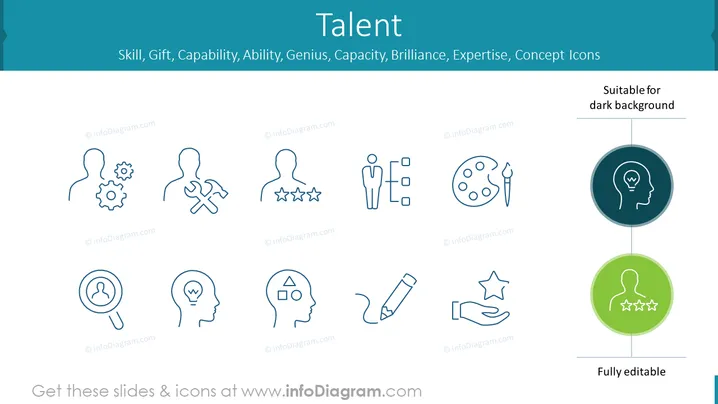
The slide is titled "Talent" and presents a collection of icons representing various aspects of skills and abilities such as Skill, Gift, Capability, Ability, Genius, Capacity, Brilliance, Expertise. Each icon visually interprets a concept: a gear and person represent a specific skill, a person with stars for capability, human forms for various talents, a light bulb for a genius idea, puzzle pieces for expertise, and so on. The icons serve as metaphors for intangible qualities, making abstract ideas more graspable through visual representations.
Graphical Look
- The background of the slide is a light teal color.
- The slide title "Talent" is at the top in large, bold font.
- A subtitle below the title lists various related terms, such as "Skill, Gift, Capability, etc."
- Ten icons are distributed across the slide, each encapsulating a different facet of talent.
- Icons include stylized human silhouettes with elements like gears, stars, puzzle pieces, a paint palette, and a light bulb.
- To the right, there are two larger icons within colored circles – a white light bulb within a dark teal circle and a white silhouette garnished with stars within a green circle. Both of these icons are emphasized as "Suitable for dark background" and "Fully editable."
- Each icon is outlined in a simple, modern line art style and paired with a label beneath it, although the text for the labels is not visible in the image provided.
The icons are evenly spaced and share a cohesive design language, which gives the slide a balanced, professional appearance. The use of light and dark circles for some icons also offers a preview of how these graphics can adapt to different background colors.
Use Cases
- To illustrate the diverse elements of talent during a human resources training or workshop.
- In a company presentation to emphasize the core competencies and unique skills of team members.
- When discussing personal development plans with employees, using the icons to represent targeted growth areas.
- To showcase an organization's values related to talent cultivation and recognition during internal or external corporate events.
How to Edit
How to edit text & colors

How to expand / shorten diagram

How to Replace Icons in infoDiagram PPT


