
Reviews
Ihre Grafiken verleihen meinen Präsentationen eine nette Note, und ich habe sie kürzlich für eines meiner All-Hands-Meetings verwendet. Ihre Toolbox verleiht meinen Folien Professionalität, anstatt Standard-Clipart zu verwenden.
Ich brauchte einen neuen Blick auf einige meiner Folien. Ich habe versucht, einen Weg zu finden, einen Pinselschlag-Effekt zu erzielen, um zu unterstreichen, hervorzuheben, Farbe hinzuzufügen, und die handgeschriebenen Markierungen waren genau das Richtige. Sehr einfach zu bedienen, leicht in der Größe zu ändern, die Farbe zu ändern. Es war eine erschwingliche, perfekte Lösung und ich empfehle sie gerne weiter.
Die klare, saubere Optik der Grafiken und die Tatsache, dass ich die Farben leicht bearbeiten und an die Vorlage anpassen konnte, war mein Hauptgrund für den Kauf.
Description
SWOT Outline Letters – Strengths Analysis Description
Slide Content
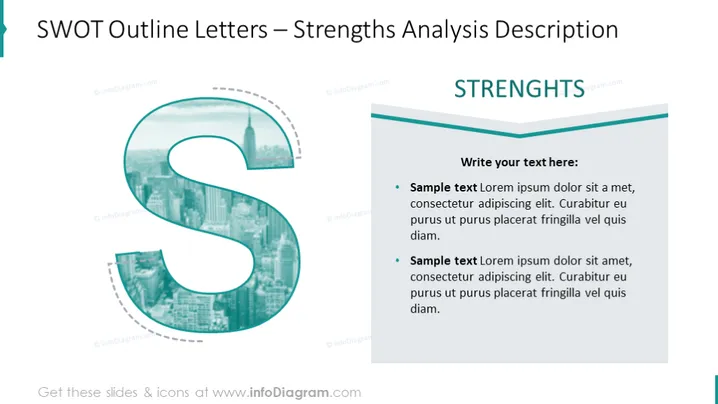
The slide is intended for a SWOT analysis presentation focusing specifically on strengths. There is a header "STRENGTHS" followed by a section where the presenter can input their own text. Two bulleted items are placeholders for strengths examples, both repeating the same sample text which suggests that the user should replace it with specific items related to their analysis, indicating areas or characteristics that give the business or project a competitive advantage.
Graphical Look
- Large outlined capital letter "S" on the left side, overlaid on a faint cityscape background.
- The letter "S" is designed in a teal color scheme with transparency, allowing the cityscape to show through it.
- A rectangular text box on the right side containing the header "STRENGTHS" in bold uppercase letters, with a smaller text area underneath for custom content.
- The text box features a thick teal top border and a thin teal bottom border, providing visual separation and accentuating the color theme.
- Two bullet points within the text box highlighted by bold "Sample text" headers, each followed by placeholder text.
- The slide background is white, which contrasts with the teal color of the graphics and text.
The slide exhibits a clean and professional look with a coherent color scheme that emphasizes the "Strengths" component of the SWOT analysis. The use of transparency and overlay in the graphic creates depth and keeps the design visually interesting.
Use Cases
- Presenting a company's strengths during a strategic planning meeting.
- Illustrating key advantages in a business proposal or investor pitch deck.
- Facilitating a workshop or seminar focused on competitive analysis.
- Incorporating into a broader SWOT analysis presentation for a project debrief or stakeholder report.
How to Edit
How to edit text & colors

How to expand / shorten diagram

How to Replace Icons in infoDiagram PPT


