
Reviews
Sus gráficos añaden un toque agradable a mis presentaciones y recientemente los usé para una de mis reuniones generales. Su conjunto de herramientas añade profesionalismo a mis diapositivas. En lugar de usar imágenes prediseñadas estándar.
Necesitaba un aspecto fresco para algunas de mis diapositivas. Había intentado encontrar una forma de crear un efecto de pincel, de subrayar, acentuar, añadir algo de color y los marcadores escritos a mano fueron justo lo que necesitaba. Muy fácil de usar, fácil de ajustar el tamaño, cambiar el color. Fue una solución asequible y perfecta, y estoy feliz de recomendarla.
El aspecto nítido y limpio de los gráficos, y el hecho de que me permitiera editar y cambiar fácilmente los colores para que coincidieran con la plantilla fue mi principal razón para comprarlos.
Description
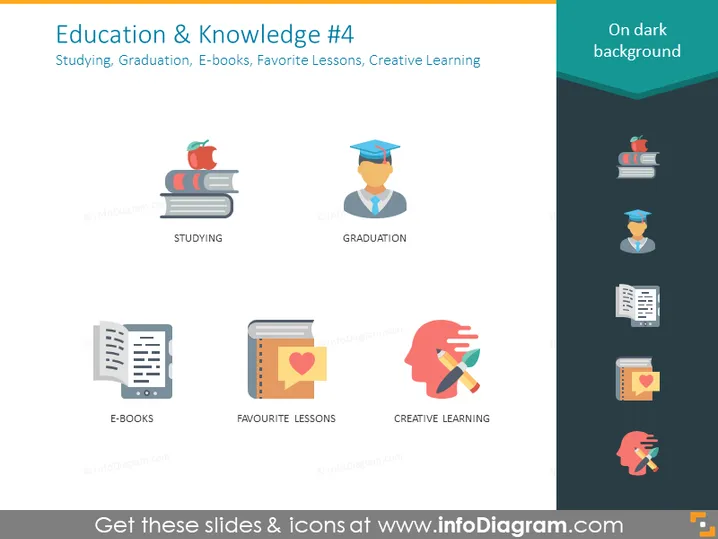
Education & Knowledge #4
Slide Content
The slide, titled "Education & Knowledge #4," displays icons associated with various educational concepts. "Studying" is represented by a stack of books with an apple on top, symbolizing traditional studying methods. "Graduation" features a figure in a graduation cap, indicating the achievement of completing an educational program. "E-books" shows a digital representation of text, signifying the modern alternative to physical books. "Favorite Lessons" is illustrated with a notebook and a heart, suggesting engaging and preferred course content. "Creative Learning" encompasses a human head silhouette with a lightbulb and paintbrush, depicting the incorporation of creativity into the learning process.
Graphical Look
- The slide background is dark with a lighter frame bordering the content area.
- A two-column layout, with five icons each paired with a label.
- The icons are flat, vector-style images featuring a combination of blue, orange, and gray colors.
- Each icon is situated within a white circle that contrasts with the dark background.
- Labels are in white text under each icon, making them stand out.
The slide has a modern and clean aesthetic, with minimalistic icons that clearly represent each concept. The contrast between the white elements and the dark background makes the information easy to absorb at a glance.
Use Cases
- Presenting the components of an educational program to students or educators.
- Describing online learning tools and resources in a corporate training session.
- Illustrating various stages or aspects of academic life in a school or university presentation.
- Use in educational technology pitches or demonstrations to highlight features and benefits.
How to Edit
How to edit text & colors

How to expand / shorten diagram

How to Replace Icons in infoDiagram PPT


