
Reviews
Sus gráficos añaden un toque agradable a mis presentaciones y recientemente los usé para una de mis reuniones generales. Su conjunto de herramientas añade profesionalismo a mis diapositivas. En lugar de usar imágenes prediseñadas estándar.
Necesitaba un aspecto fresco para algunas de mis diapositivas. Había intentado encontrar una forma de crear un efecto de pincel, de subrayar, acentuar, añadir algo de color y los marcadores escritos a mano fueron justo lo que necesitaba. Muy fácil de usar, fácil de ajustar el tamaño, cambiar el color. Fue una solución asequible y perfecta, y estoy feliz de recomendarla.
El aspecto nítido y limpio de los gráficos, y el hecho de que me permitiera editar y cambiar fácilmente los colores para que coincidieran con la plantilla fue mi principal razón para comprarlos.
Description
Project Steps Sand Footprint Roadmap Picture
Slide Content:
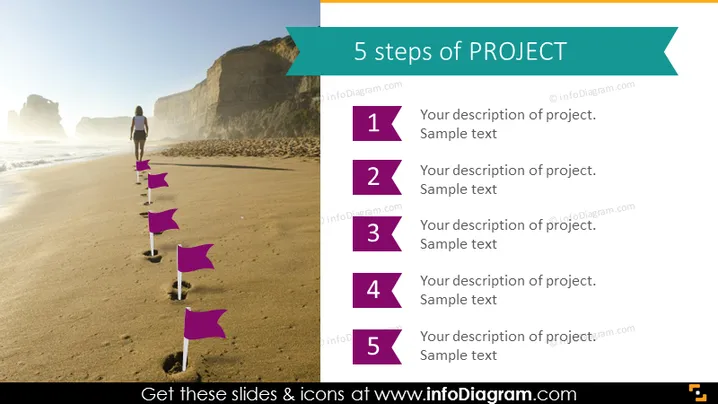
The PowerPoint slide is structured to guide the viewer through the "5 steps of PROJECT," with each step denoted by a numbered flag. The flags presumably represent sequential phases or tasks in a project's lifecycle. Each number from 1 to 5 is followed by placeholders for a description of the project step, providing a format for elaborating on project details, objectives, or milestones. This layout facilitates a clear understanding of the project's structure and progression.
Graphical Look:
- A series of five purple flag icons, placed along a sandy beach, leading to a figure in the distance, suggesting forward motion or progress.
- A teal-colored banner across the top with the title "5 steps of PROJECT" in white font.
- To the right of the flags, there are corresponding numbers each with a space for text adjacent to them.
- The background image depicts a sunny beach scene, with cliffs in the distance and clear blue skies, imparting a sense of journey and exploration.
The slide's overall look is dynamic and visually engaging, combining real-world imagery with graphic elements to suggest progress and forward movement. The color scheme is bright and clear, ensuring the information stands out.
Use Cases:
- In project management meetings to outline the phases of a project.
- During workshops to explain a step-by-step approach to project execution.
- In educational settings to teach project management methodologies.
- As a visual aid in marketing presentations to describe the stages of a campaign rollout.
How to Edit
How to edit text & colors

How to expand / shorten diagram

How to Replace Icons in infoDiagram PPT


