
Reviews
Ihre Grafiken verleihen meinen Präsentationen eine nette Note, und ich habe sie kürzlich für eines meiner All-Hands-Meetings verwendet. Ihre Toolbox verleiht meinen Folien Professionalität, anstatt Standard-Clipart zu verwenden.
Ich brauchte einen neuen Blick auf einige meiner Folien. Ich habe versucht, einen Weg zu finden, einen Pinselschlag-Effekt zu erzielen, um zu unterstreichen, hervorzuheben, Farbe hinzuzufügen, und die handgeschriebenen Markierungen waren genau das Richtige. Sehr einfach zu bedienen, leicht in der Größe zu ändern, die Farbe zu ändern. Es war eine erschwingliche, perfekte Lösung und ich empfehle sie gerne weiter.
Die klare, saubere Optik der Grafiken und die Tatsache, dass ich die Farben leicht bearbeiten und an die Vorlage anpassen konnte, war mein Hauptgrund für den Kauf.
Description
Seasonal Activities Timeline – 4 Quarters
Slide Content
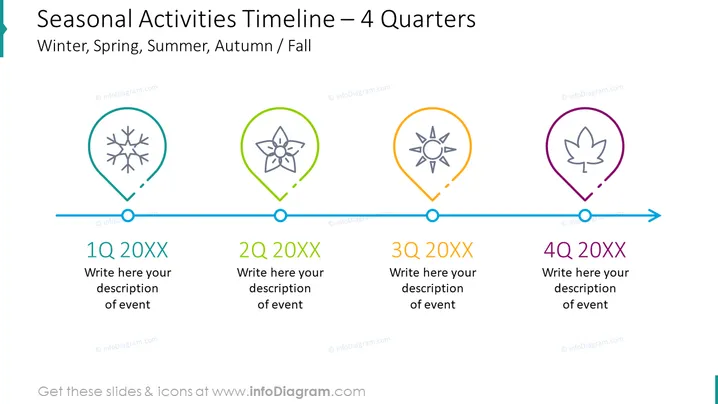
The slide presents a timeline for seasonal activities divided into four quarters, representing Winter, Spring, Summer, and Autumn/Fall. Each season is depicted with a distinct icon within a colored marker—snowflake for Winter, flower for Spring, sun for Summer, and leaf for Autumn. Below each seasonal icon, there is a placeholder for writing a description of an event and a label indicating the quarter (1Q, 2Q, 3Q, 4Q) with a corresponding year placeholder "20XX."
Graphical Look
- A light blue horizontal timeline runs across the slide with a subtle arrow at the right end, indicating progression.
- Four circular nodes with a line connection indicate the timeline's major points.
- Colored location markers are placed on each node, with each color representing a different season (teal for Winter, green for Spring, orange for Summer, purple for Autumn).
- Inside each marker, a white line-art icon exemplifies the season (snowflake, flower, sun, leaf).
- Text placeholders are below the timeline, each marked by the quarter of the year in bold and a space for event descriptions.
- The overall color palette is bright and differentiated, with cool and warm tones to match the seasons.
The slide is visually clean, with a minimalist design that emphasizes clarity. The use of distinct colors and icons for each season makes it easy to interpret at a glance.
Use Cases
- To display company goals or marketing plans over the course of a year, sectioned by quarters.
- For outlining a retail or product launch calendar that aligns with seasonal changes and consumer behaviors.
- In educational presentations to explain curricular or activity planning throughout the school year.
- As a tool in project management to indicate the phased milestones or deliverables expected within each quarter of the developmental cycle.
How to Edit
How to edit text & colors

How to expand / shorten diagram

How to Replace Icons in infoDiagram PPT


