
Your graphics add a nice touch to my presentations and I recently used them for one of my all-hands meetings. Your toolbox adds professionalism to my slides. Instead of using standard clipart.
Claude Jones, Director of Engineer, @Walmartlabs, USA

Your graphics add a nice touch to my presentations and I recently used them for one of my all-hands meetings. Your toolbox adds professionalism to my slides. Instead of using standard clipart.
Claude Jones, Director of Engineer, @Walmartlabs, USA
I needed a fresh look at some of my slides. I've tried to find a way to create a paintbrush effect, to underline, accentuate, add some color and the handwritten markers were just the things. Very easy to use, easy to size, change the color. It was an affordable, perfect solution and I'm happy to recommend it.
Anonymous, US
The crisp, clean look of the graphics, and the fact that it allowed me to easily edit and change the colors to match the template was my main reason for purchasing them.
Brandie Jenkins, E-learning Developer, USA
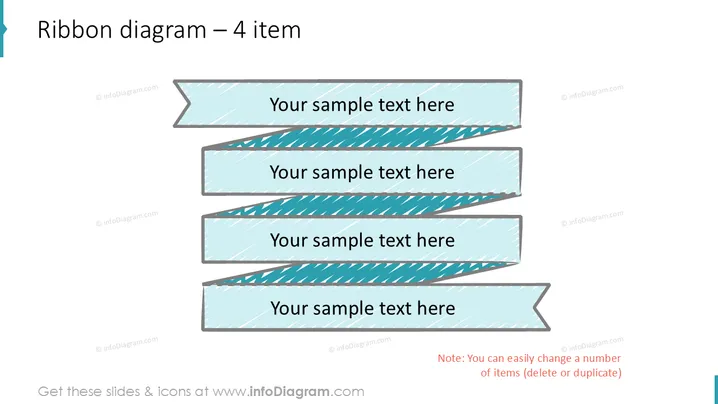
This slide presents a "Ribbon diagram" with four distinct items, each represented by a light blue ribbon shape. The diagram is designed to showcase sequential steps, a list of features, or categories in an easy-to-read format. Each ribbon segment contains "Your sample text here," indicating a placeholder for specific content, allowing for customization to fit various presentation needs.
The slide features a clean, organized layout with a hand-drawn aesthetic. The light blue and teal colors offer a calm and inviting feel, making the information easily digestible.