

Your graphics add a nice touch to my presentations and I recently used them for one of my all-hands meetings. Your toolbox adds professionalism to my slides. Instead of using standard clipart.
Claude Jones, Director of Engineer, @Walmartlabs, USA

Your graphics add a nice touch to my presentations and I recently used them for one of my all-hands meetings. Your toolbox adds professionalism to my slides. Instead of using standard clipart.
Claude Jones, Director of Engineer, @Walmartlabs, USA
I needed a fresh look at some of my slides. I've tried to find a way to create a paintbrush effect, to underline, accentuate, add some color and the handwritten markers were just the things. Very easy to use, easy to size, change the color. It was an affordable, perfect solution and I'm happy to recommend it.
Anonymous, US
The crisp, clean look of the graphics, and the fact that it allowed me to easily edit and change the colors to match the template was my main reason for purchasing them.
Brandie Jenkins, E-learning Developer, USA
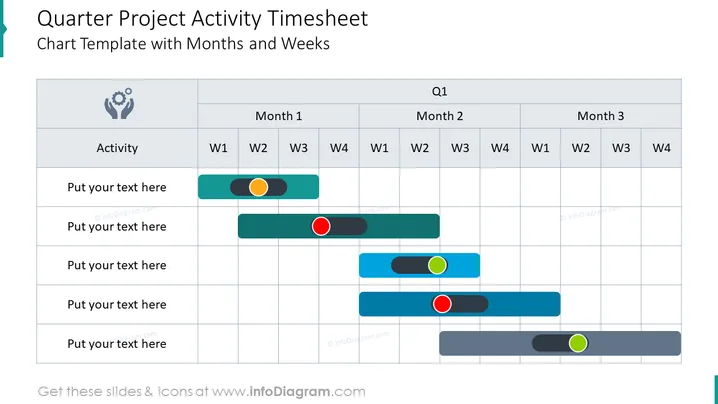
This slide is a visual planning tool for tracking project activities on a quarterly basis, broken down by month and week. It features a timesheet layout with rows for different activities and columns representing the weeks within each month. Status indicators, such as colored dots or circles, are placed along the timeline to denote the progress or completion of each task, providing a quick snapshot of project momentum or delays.
The slide's design is functional and methodical, using a muted color palette to maintain focus on the color-coded status indicators.
This slide is suitable for project management presentations, team meetings, and status updates to monitor progress, deadlines, and task completion. It provides a clear and detailed visual representation of the project's timeline and is particularly useful for collaborative reviews and planning sessions.



