
Reviews
The icons are fantastic, easy to use, and will add value to any project or presentation. Keep up the great work.
I love how simple infoDiagram's solutions are and the personal interest they took in my work. Recommended 1000%!
The crisp, clean look of the graphics, and the fact that it allowed me to easily edit and change the colors to match the template was my main reason for purchasing them.
Description
4-puzzle Circle Quadrants Diagram
Slide Content
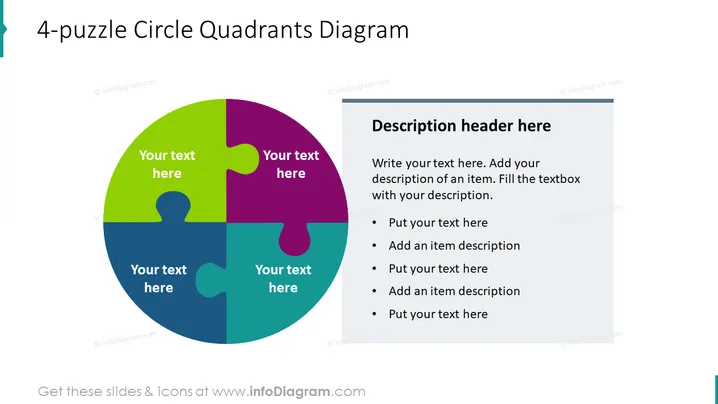
The slide features a 4-puzzle circle quadrants diagram designed to categorize information into four interconnected segments. Each quadrant is color-coded with placeholders for customized text, indicating that users can input specific content relevant to each segment. This graphic is commonly used to display how separate pieces form a whole and to illustrate relationships or dependencies among the components.
Graphical Look
- A central circular diagram composed of four jigsaw puzzle pieces in different colors (green, purple, yellow, and blue).
- Text placeholder boxes are overlaid on each of the puzzle pieces.
- To the right of the circular diagram, a rectangular text box contains the title "Description header here."
- Beneath the title, bullet points are provided for further descriptions and details.
- The background of the slide is plain white, providing a clean and uncluttered backdrop for the diagram and text.
The overall look of the slide is modern and professional, with a clear emphasis on the central colorful puzzle graphic, which is designed to draw the eye and facilitate engagement.
Use Cases
- To showcase the components of a business strategy and how they fit together to achieve a goal.
- During a presentation to break down complex projects into digestible parts, clarifying the role of each part in the bigger picture.
- To illustrate the strengths, weaknesses, opportunities, and threats (SWOT analysis) in a business environment.
- In workshops or educational settings, to prompt discussions about the interconnectivity of different ideas or concepts.
How to Edit
How to edit text & colors

How to expand / shorten diagram

How to Replace Icons in infoDiagram PPT


