

Your graphics add a nice touch to my presentations and I recently used them for one of my all-hands meetings. Your toolbox adds professionalism to my slides. Instead of using standard clipart.
Claude Jones, Director of Engineer, @Walmartlabs, USA

Your graphics add a nice touch to my presentations and I recently used them for one of my all-hands meetings. Your toolbox adds professionalism to my slides. Instead of using standard clipart.
Claude Jones, Director of Engineer, @Walmartlabs, USA
I needed a fresh look at some of my slides. I've tried to find a way to create a paintbrush effect, to underline, accentuate, add some color and the handwritten markers were just the things. Very easy to use, easy to size, change the color. It was an affordable, perfect solution and I'm happy to recommend it.
Anonymous, US
The crisp, clean look of the graphics, and the fact that it allowed me to easily edit and change the colors to match the template was my main reason for purchasing them.
Brandie Jenkins, E-learning Developer, USA
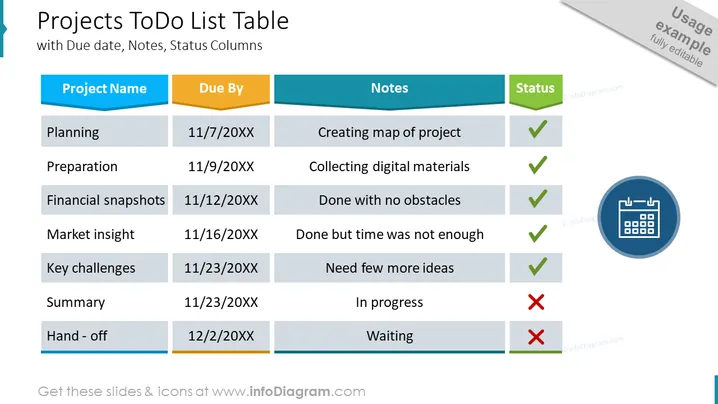
The slide titled "Projects To Do List Table" outlines various stages of a project with corresponding due dates, notes, and status indicators. The stages include Planning, Preparation, Financial snapshots, Market insight, Key challenges, Summary, and Hand-off, with due dates ranging from 11/7/20XX to 12/2/20XX. Notes offer a brief context such as "Creating map of project" for Planning and "Need few more ideas" for Key challenges. The status column uses checkmarks to indicate completion, with a red "X" marking the Summary and Hand-off stages as incomplete.
The overall slide presents a professional, easy-to-read format conducive to quick status updates and project management overviews. The color-coding and status icons facilitate at-a-glance assessments of project progress.



