

Your graphics add a nice touch to my presentations and I recently used them for one of my all-hands meetings. Your toolbox adds professionalism to my slides. Instead of using standard clipart.
Claude Jones, Director of Engineer, @Walmartlabs, USA

Your graphics add a nice touch to my presentations and I recently used them for one of my all-hands meetings. Your toolbox adds professionalism to my slides. Instead of using standard clipart.
Claude Jones, Director of Engineer, @Walmartlabs, USA
I needed a fresh look at some of my slides. I've tried to find a way to create a paintbrush effect, to underline, accentuate, add some color and the handwritten markers were just the things. Very easy to use, easy to size, change the color. It was an affordable, perfect solution and I'm happy to recommend it.
Anonymous, US
The crisp, clean look of the graphics, and the fact that it allowed me to easily edit and change the colors to match the template was my main reason for purchasing them.
Brandie Jenkins, E-learning Developer, USA
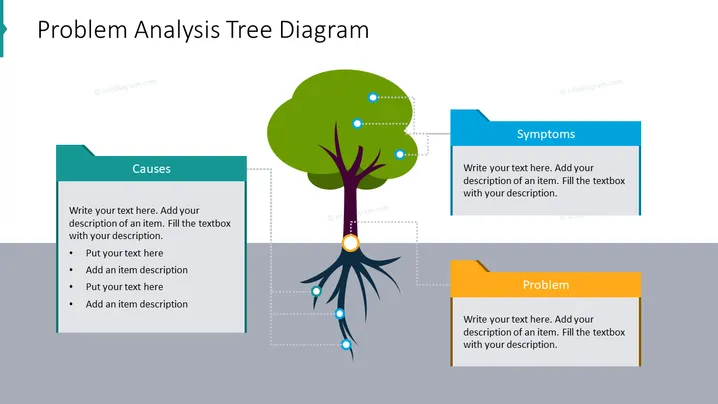
The slide presents a visual tool for problem analysis, depicting a tree as a metaphor for branching out various aspects of a problem. At the top, the "Symptoms" section represents observable effects associated with the issue. The trunk connects to "Causes," which are the underlying reasons for the symptoms. Finally, the "Problem" section at the root captures the core issue. Each segment is designed for detailed input, allowing for an in-depth examination of the problem at hand.
The overall look of the slide is clean and professional, using contrasting colors to differentiate between the sections. The use of the tree graphic provides an intuitive visual metaphor for understanding and organizing components of problem analysis.



