

Your graphics add a nice touch to my presentations and I recently used them for one of my all-hands meetings. Your toolbox adds professionalism to my slides. Instead of using standard clipart.
Claude Jones, Director of Engineer, @Walmartlabs, USA

Your graphics add a nice touch to my presentations and I recently used them for one of my all-hands meetings. Your toolbox adds professionalism to my slides. Instead of using standard clipart.
Claude Jones, Director of Engineer, @Walmartlabs, USA
I needed a fresh look at some of my slides. I've tried to find a way to create a paintbrush effect, to underline, accentuate, add some color and the handwritten markers were just the things. Very easy to use, easy to size, change the color. It was an affordable, perfect solution and I'm happy to recommend it.
Anonymous, US
The crisp, clean look of the graphics, and the fact that it allowed me to easily edit and change the colors to match the template was my main reason for purchasing them.
Brandie Jenkins, E-learning Developer, USA
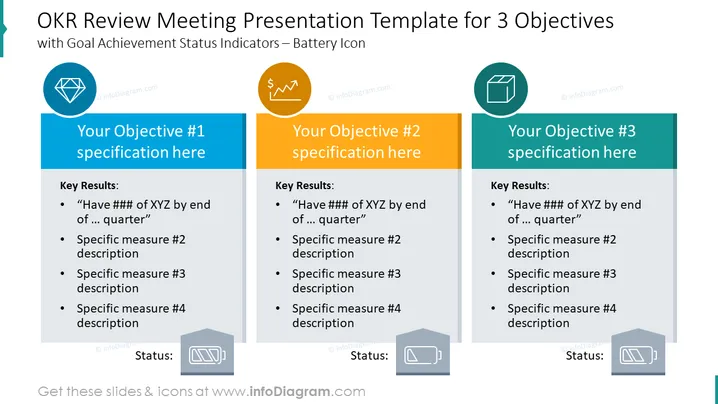
The slide is structured to review three separate objectives in an OKR (Objectives and Key Results) meeting. Each objective has a dedicated section to specify the objective and list key results, with placeholders for specific measures and quantitative targets to be achieved by the end of a quarter. The slide also includes a status indicator symbolized by a battery icon for each objective, which allows presenters to visually represent the completion level of each objective.
The slide has a clean, corporate design with a systematic layout. The use of color blocks and icons aids in differentiating between the objectives, and the battery icons provide an intuitive visual cue for the status of each goal.
This slide would be appropriate in business presentations for OKR review meetings where the progress of specific departmental or project goals needs to be discussed. It is also useful for strategic planning sessions, quarterly reviews, and team meetings focused on goal achievement.



