

Your graphics add a nice touch to my presentations and I recently used them for one of my all-hands meetings. Your toolbox adds professionalism to my slides. Instead of using standard clipart.
Claude Jones, Director of Engineer, @Walmartlabs, USA

Your graphics add a nice touch to my presentations and I recently used them for one of my all-hands meetings. Your toolbox adds professionalism to my slides. Instead of using standard clipart.
Claude Jones, Director of Engineer, @Walmartlabs, USA
I needed a fresh look at some of my slides. I've tried to find a way to create a paintbrush effect, to underline, accentuate, add some color and the handwritten markers were just the things. Very easy to use, easy to size, change the color. It was an affordable, perfect solution and I'm happy to recommend it.
Anonymous, US
The crisp, clean look of the graphics, and the fact that it allowed me to easily edit and change the colors to match the template was my main reason for purchasing them.
Brandie Jenkins, E-learning Developer, USA
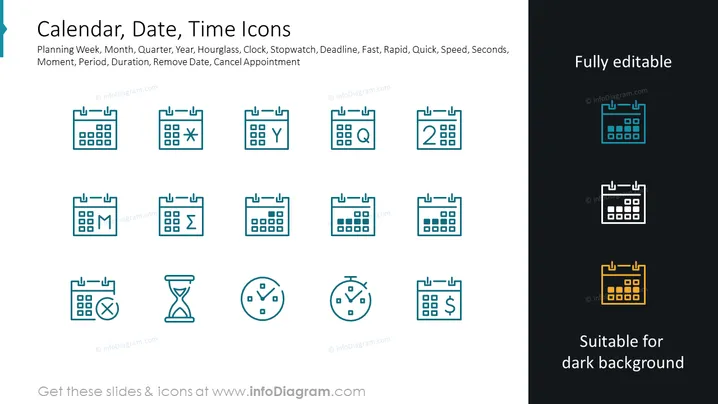
The slide presents a collection of icons related to time management and scheduling. These icons symbolize various concepts such as Planning Week (depicting short-term planning), Month (indicating monthly scheduling), Quarter (representing three-month periods), Year (for annual planning), Hourglass (implying passing time), Clock (showing timekeeping), Stopwatch (measuring specific time intervals), Deadline (indicating a due date), Fast (representing quick action), Rapid, Quick (both suggesting high speed), Speed, Seconds (time measurement units), Moment, Period (a length of time), Duration (how long something lasts), Remove Date (deleting a date from a schedule), and Cancel Appointment (terminating a planned meeting).
The slide's visual composition is very orderly, with a consistent style of icons that are easy to understand at a glance. The contrasting colors of certain icons serve as an emphasis on customization and versatility.



