
Reviews
Your graphics add a nice touch to my presentations and I recently used them for one of my all-hands meetings. Your toolbox adds professionalism to my slides. Instead of using standard clipart.
I needed a fresh look at some of my slides. I've tried to find a way to create a paintbrush effect, to underline, accentuate, add some color and the handwritten markers were just the things. Very easy to use, easy to size, change the color. It was an affordable, perfect solution and I'm happy to recommend it.
The crisp, clean look of the graphics, and the fact that it allowed me to easily edit and change the colors to match the template was my main reason for purchasing them.
Description
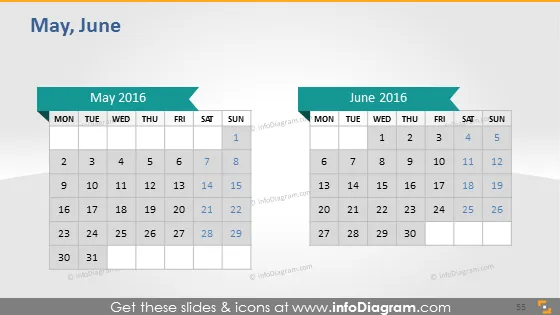
May, June
Slide Content
The PowerPoint slide presents two monthly calendars for May 2016 and June 2016, intended to help viewers visualize the dates and plan accordingly. Each calendar is arranged in a typical grid format with rows representing weeks and columns representing days of the week, from Monday to Sunday. Specific dates are highlighted in color, which may indicate important events or milestones scheduled for those days. The slide serves as a straightforward visual tool for managing schedules or highlighting key dates during a two-month period.
Graphical Look
- The slide has a clean, professional design with a predominantly white background and color highlights in blue and gray.
- There are two main calendar blocks, one for May and one for June, each with a dark blue banner that includes the month and year in white text.
- Each calendar features a grid layout with column headers for days of the week from Monday to Sunday.
- Dates within the calendar are in simple black text, with some dates highlighted in blue, indicating significance.
- Arrows point to the highlighted dates, with the arrowheads matching the blue of the date highlights.
- The numbers for days are organized in rows that correspond to the weeks of the month.
- The slide uses a mix of bold and regular font weights for emphasis and readability.
The overall look of the slide is minimalistic and business-like, with a clear focus on the presentation of the calendar dates. The use of color for highlighting and the clean, grid-based design make it easy for viewers to read and understand the calendars at a glance.
Use Cases
- To highlight key dates and deadlines in a project timeline during a project planning meeting.
- As an editorial calendar for content planning in marketing and communications departments.
- For scheduling and outlining important events or milestones within a two-month period in a company-wide presentation.
- As a visual aid for displaying availability or occupancy in industries such as hospitality or event planning.
How to Edit
How to edit text & colors

How to expand / shorten diagram

How to Replace Icons in infoDiagram PPT


