
Reviews
Sus gráficos añaden un toque agradable a mis presentaciones y recientemente los usé para una de mis reuniones generales. Su conjunto de herramientas añade profesionalismo a mis diapositivas. En lugar de usar imágenes prediseñadas estándar.
Necesitaba un aspecto fresco para algunas de mis diapositivas. Había intentado encontrar una forma de crear un efecto de pincel, de subrayar, acentuar, añadir algo de color y los marcadores escritos a mano fueron justo lo que necesitaba. Muy fácil de usar, fácil de ajustar el tamaño, cambiar el color. Fue una solución asequible y perfecta, y estoy feliz de recomendarla.
El aspecto nítido y limpio de los gráficos, y el hecho de que me permitiera editar y cambiar fácilmente los colores para que coincidieran con la plantilla fue mi principal razón para comprarlos.
Description
People Actions Icons
Slide Content
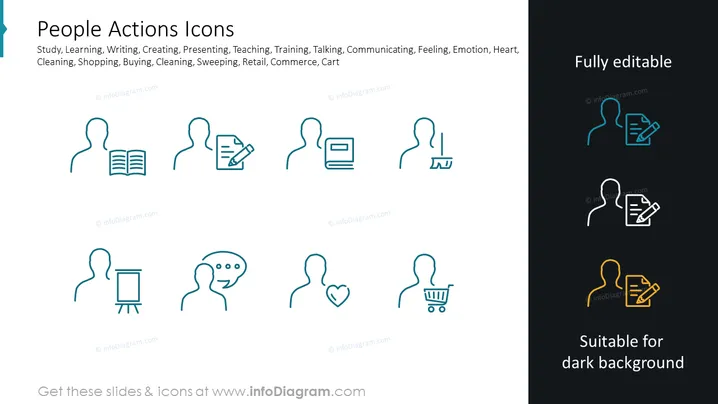
The slide is a collection of simple outline icons representing various human activities or actions, such as learning, writing, teaching, shopping, and feeling emotion. Each icon is paired with a silhouette of a human figure to contextualize the action. "Study" might relate to educational contexts, "Writing" and "Creating" to creative or documentation tasks, "Presenting" may be associated with business or educational presentations, "Teaching" and "Training" with instruction or professional development, "Talking" with communication, "Feeling, Emotion, Heart" with personal or psychological states, and "Shopping, Buying, Cleaning, Sweeping, Retail, Commerce, Cart" with commercial and maintenance activities.
Graphical Look
- The slide background is plain white.
- The title "People Actions Icons" is prominently displayed at the top in large, bold, dark text.
- A series of line icons represent activities, each with an accompanying silhouette of a person:
- The icons include a book, a pen and paper, a laptop, a presentation easel, a speech bubble, a heart, and a shopping cart.
- Each action icon is uniquely colored in teal, creating a visual theme.
- To the right, there is an area with a dark background.
- The same icons from the left are shown here with a dual-tone effect, illustrating how they can be adapted for different background colors.
- This section is labeled "Fully editable" and "Suitable for dark background," providing information on customization.
The slide has a clean and modern aesthetic with a clear division between the white and dark sections, using simple yet informative graphics.
Use Cases
- Introducing various human-centric activities or processes in a business presentation.
- Highlighting different services or departments in a company, using icons to represent each area.
- Creating visual aids for educational materials that outline different aspects of academic or personal development.
- Enhancing the visual appeal of user interface designs, website elements or mobile apps by using themed icons to represent different features or categories.
How to Edit
How to edit text & colors

How to expand / shorten diagram

How to Replace Icons in infoDiagram PPT


