
Reviews
Sus gráficos añaden un toque agradable a mis presentaciones y recientemente los usé para una de mis reuniones generales. Su conjunto de herramientas añade profesionalismo a mis diapositivas. En lugar de usar imágenes prediseñadas estándar.
Necesitaba un aspecto fresco para algunas de mis diapositivas. Había intentado encontrar una forma de crear un efecto de pincel, de subrayar, acentuar, añadir algo de color y los marcadores escritos a mano fueron justo lo que necesitaba. Muy fácil de usar, fácil de ajustar el tamaño, cambiar el color. Fue una solución asequible y perfecta, y estoy feliz de recomendarla.
El aspecto nítido y limpio de los gráficos, y el hecho de que me permitiera editar y cambiar fácilmente los colores para que coincidieran con la plantilla fue mi principal razón para comprarlos.
Description
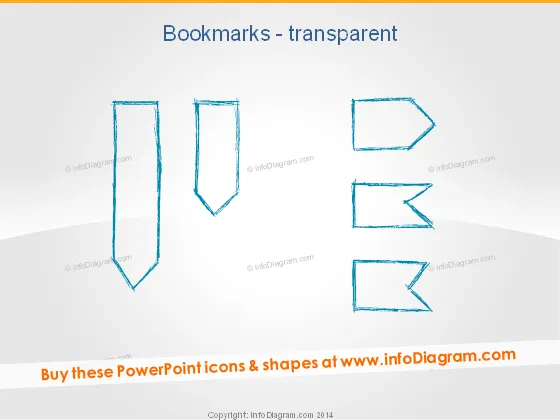
Bookmarks - transparent
Slide Content
The slide presents a series of graphical representations of transparent bookmarks, likely intended as metaphors or visual aids for highlighting sections or points of interest in a presentation. Each bookmark image varies slightly in shape and orientation, suggesting a range of options for customization. The concept of bookmarks here means visual markers that can be used to signify important information or to return to a particular topic or section within a presentation.
Graphical Look
- The slide's background is a gradient of white to a light gray at the bottom.
- There are six bookmark icons arranged in two rows of three.
- The bookmark icons on the left are more elongated and vertical, while the ones on the right are shorter and angled.
- All icons have a hand-drawn, sketch-like style with a light blue outline.
- The icons are asymmetric and have a transparent fill, which allows the background to show through.
- Each icon has a distinct irregularity, enhancing the hand-drawn appearance.
The overall look of the slide is minimalist and clean, with the focus being on the hand-drawn, stylized bookmark icons. The slide has a creative and informal feel due to the sketch-like appearance of the icons.
Use Cases
- To highlight key points or sections within a presentation, using the bookmarks as visual cues.
- As part of a content agenda, to visually map out the progression or organization of topics.
- To emphasize resources or references that may require further exploration or note-taking by the audience.
- In workshops or seminars, where participants need to mark certain slides for later review or discussion.
How to Edit
How to edit text & colors

How to expand / shorten diagram

How to Replace Icons in infoDiagram PPT


