
Reviews
Ihre Grafiken verleihen meinen Präsentationen eine nette Note, und ich habe sie kürzlich für eines meiner All-Hands-Meetings verwendet. Ihre Toolbox verleiht meinen Folien Professionalität, anstatt Standard-Clipart zu verwenden.
Ich brauchte einen neuen Blick auf einige meiner Folien. Ich habe versucht, einen Weg zu finden, einen Pinselschlag-Effekt zu erzielen, um zu unterstreichen, hervorzuheben, Farbe hinzuzufügen, und die handgeschriebenen Markierungen waren genau das Richtige. Sehr einfach zu bedienen, leicht in der Größe zu ändern, die Farbe zu ändern. Es war eine erschwingliche, perfekte Lösung und ich empfehle sie gerne weiter.
Die klare, saubere Optik der Grafiken und die Tatsache, dass ich die Farben leicht bearbeiten und an die Vorlage anpassen konnte, war mein Hauptgrund für den Kauf.
Description
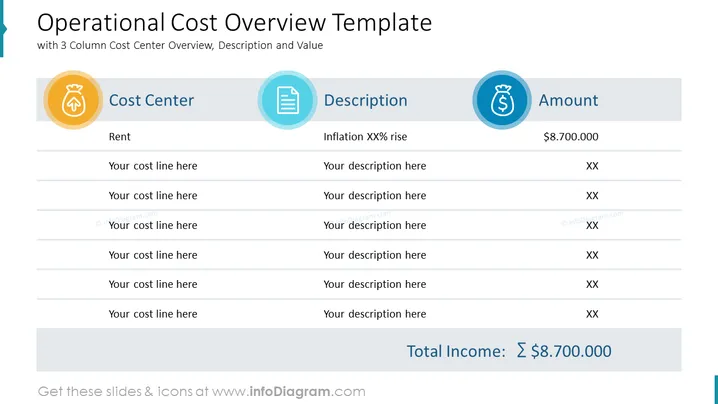
Operational Cost Overview Template
Slide Content
The slide is designed as a template to provide an overview of operational costs, divided into three main columns labeled "Cost Center," "Description," and "Amount." "Rent" is listed as a specific cost center, with an associated description of "Inflation XX% rise" and a monetary value of "$8,700,000." The slide also provides placeholders for additional cost lines and their descriptions, with "XX" indicating unspecified amounts. At the bottom, "Total Income: $8,700,000" summarizes the financial figure related to the cost centers mentioned.
Graphical Look
- The slide features a clean and professional design with a white background and three main columns.
- At the top, there is a bold and dark-colored title "Operational Cost Overview Template" followed by a subtitle in lighter text.
- Each column is headed by a large, circular icon with a symbol inside that represents the column's theme – a bag of money for "Cost Center," a document for "Description," and a dollar sign for "Amount."
- Horizontal lines separate each item within the columns, creating a structured and easy-to-read layout.
- The bottom of the slide features a large, standout section with the "Total Income" in bold, which includes a large sum of money simulating an example amount.
The overall look of the slide is modern and straightforward, utilizing icons and clear segmentation to create an easy-to-understand presentation of financial data.
Use Cases
- Budget meetings to outline and discuss various operational expenses within a company or department.
- Financial presentations for stakeholders to review cost structures and their implications.
- Internal audits or accounting overviews where a visual breakdown of costs is helpful for analysis.
- Management or team meetings focused on cost reduction strategies, utilizing the template to highlight areas of significant expenditure.
How to Edit
How to edit text & colors

How to expand / shorten diagram

How to Replace Icons in infoDiagram PPT


