
Reviews
Your graphics add a nice touch to my presentations and I recently used them for one of my all-hands meetings. Your toolbox adds professionalism to my slides. Instead of using standard clipart.
I needed a fresh look at some of my slides. I've tried to find a way to create a paintbrush effect, to underline, accentuate, add some color and the handwritten markers were just the things. Very easy to use, easy to size, change the color. It was an affordable, perfect solution and I'm happy to recommend it.
The crisp, clean look of the graphics, and the fact that it allowed me to easily edit and change the colors to match the template was my main reason for purchasing them.
Description
November, December
Slide Content
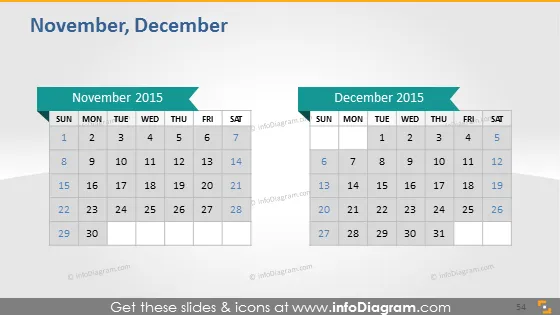
The slide is a visual representation of the months November and December 2015. It features two side-by-side calendars, each inside its own gray container. The calendars provide a clear view of the dates for each month, with Sundays through Saturdays labeled at the top. November starts on a Sunday and ends on a Monday, while December starts on a Tuesday and ends on a Thursday. These calendars can be useful for highlighting specific dates, such as project milestones or important events.
Graphical Look
- The slide has a white background with two gray rectangular shapes, each containing a monthly calendar.
- Each calendar is titled with its respective month, "November 2015" on the left and "December 2015" on the right, in a dark font.
- The days of the week are displayed in a row at the top of each calendar, using a smaller font size and bold text for ease of reading.
- Dates are displayed in individual cells, arranged in typical calendar format with rows representing weeks.
- A light shadow is cast behind the two gray calendar rectangles, giving a subtle three-dimensional effect.
- Both calendar headings have a green arrow-like shape pointing towards them, possibly indicating a progression or a connection between the two months.
The overall look of the slide is clean, professional, and easy to read, with a straightforward layout that clearly presents the information contained in the two calendars.
Use Cases
- Planning and showcasing project timelines or deadlines in business meetings.
- Highlighting significant dates such as product launches or marketing campaign periods during a presentation.
- Sharing holiday schedules or closed business days with employees in a corporate setting.
- Coordinating multi-month events or programs across departments within an organization.
How to Edit
How to edit text & colors

How to expand / shorten diagram

How to Replace Icons in infoDiagram PPT


