
Reviews
Your graphics add a nice touch to my presentations and I recently used them for one of my all-hands meetings. Your toolbox adds professionalism to my slides. Instead of using standard clipart.
I needed a fresh look at some of my slides. I've tried to find a way to create a paintbrush effect, to underline, accentuate, add some color and the handwritten markers were just the things. Very easy to use, easy to size, change the color. It was an affordable, perfect solution and I'm happy to recommend it.
The crisp, clean look of the graphics, and the fact that it allowed me to easily edit and change the colors to match the template was my main reason for purchasing them.
Description
Other negative emotions icons 1
Slide Content
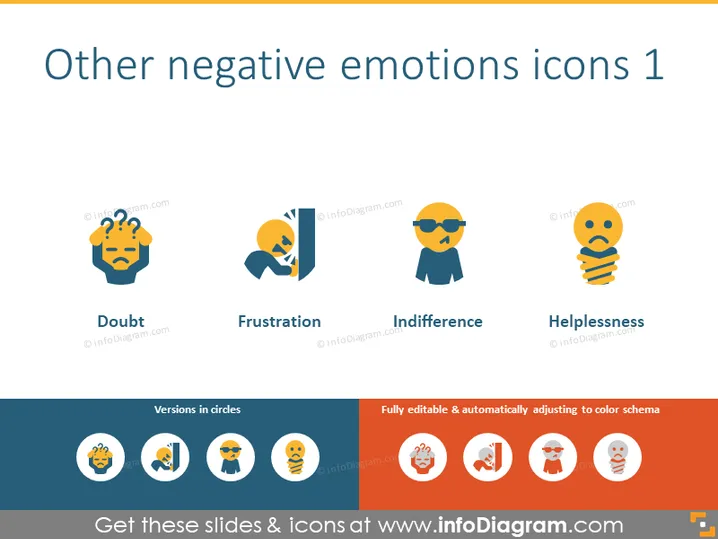
The PowerPoint slide titled "Other negative emotions icons 1" provides a visual representation of different negative emotional states. It includes four icons, each representing a specific feeling: Doubt, depicted by a figure with a furrowed brow and question marks; Frustration, shown as a figure with a split head and exclamation marks; Indifference, with a character wearing sunglasses and a flat mouth line; Helplessness, represented by a figure trapped in a spiral. The icons are an abstract and simplified representation of the emotions, making them understandable at a glance.
Graphical Look
- Four stylized icons depicting various negative emotions arranged horizontally across the top half of the slide.
- Each icon is paired with a label naming the emotion.
- The icons feature a consistent two-tone color scheme, using shades of orange, blue, and beige.
- Below the icons, there is a section with smaller, circular versions of the same icons.
- Two text boxes flank the circular icons, one stating "Versions in circles" and the other declaring the icons "Fully editable & automatically adjusting to color schema."
- The slide's background is a clean and plain white, which provides a contrasting backdrop for the colorful icons.
The overall look of the slide is modern and minimalistic. The use of color and simplistic design makes it visually appealing and easy to interpret at a glance.
Use Cases
- To illustrate discussions about emotional intelligence and mental health in a corporate training session.
- As part of user experience design presentations to showcase how different app features may affect user emotions.
- In organizational behavior workshops to highlight common negative emotions that can impact team performance.
- To enhance communication in therapy or counseling services marketing materials, where understanding emotions is key.
How to Edit
How to edit text & colors

How to expand / shorten diagram

How to Replace Icons in infoDiagram PPT


