
Reviews
Ihre Grafiken verleihen meinen Präsentationen eine nette Note, und ich habe sie kürzlich für eines meiner All-Hands-Meetings verwendet. Ihre Toolbox verleiht meinen Folien Professionalität, anstatt Standard-Clipart zu verwenden.
Ich brauchte einen neuen Blick auf einige meiner Folien. Ich habe versucht, einen Weg zu finden, einen Pinselschlag-Effekt zu erzielen, um zu unterstreichen, hervorzuheben, Farbe hinzuzufügen, und die handgeschriebenen Markierungen waren genau das Richtige. Sehr einfach zu bedienen, leicht in der Größe zu ändern, die Farbe zu ändern. Es war eine erschwingliche, perfekte Lösung und ich empfehle sie gerne weiter.
Die klare, saubere Optik der Grafiken und die Tatsache, dass ich die Farben leicht bearbeiten und an die Vorlage anpassen konnte, war mein Hauptgrund für den Kauf.
Description
TITLE
Slide Content
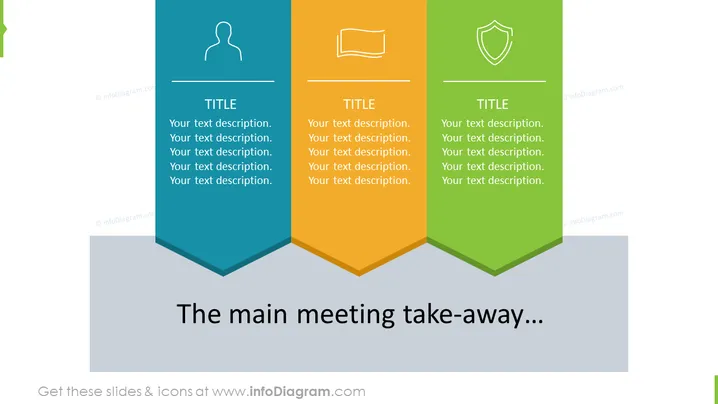
This PowerPoint slide presents a set of three banners with distinct colors—teal, orange, and green—each featuring a unique icon at the top and a corresponding title with a text description below. The icons signify personal details, computer or file systems, and protection respectively, conveying topics like user identity, data management, and security. At the bottom of the slide, a statement "The main meeting take-away..." serves as a concluding remark or summary of the presented points.
Graphical Look
- Three vertical banners colored teal, orange, and green, lined up side by side and anchored to a shared base.
- Each banner has a different icon at the top: a simplified human figure, a computer display, and a shield, representing different themes.
- Titles in capitalized letters are centered in each banner with a horizontal line below them.
- Below each title, there is a placeholder text described as "Your text description." repeated five times to indicate where further detail can be added.
- A prominent, dark gray text box at the bottom spans the width of the slide with contrasting white text for the summary statement.
The slide is clean and modern, with a use of bold colors and simple icons that convey the main topics effectively. The overall aesthetic is professional and suited for business presentations.
Use Cases
- To summarize key points from a seminar or workshop in a business setting.
- To highlight project status updates across different departments or categories during team meetings.
- To present a comparative analysis of different product features or company services during a marketing presentation.
- To outline strategic priorities in management or board meetings, with each banner representing a specific priority area.
How to Edit
How to edit text & colors

How to expand / shorten diagram

How to Replace Icons in infoDiagram PPT


