
Reviews
Sus gráficos añaden un toque agradable a mis presentaciones y recientemente los usé para una de mis reuniones generales. Su conjunto de herramientas añade profesionalismo a mis diapositivas. En lugar de usar imágenes prediseñadas estándar.
Necesitaba un aspecto fresco para algunas de mis diapositivas. Había intentado encontrar una forma de crear un efecto de pincel, de subrayar, acentuar, añadir algo de color y los marcadores escritos a mano fueron justo lo que necesitaba. Muy fácil de usar, fácil de ajustar el tamaño, cambiar el color. Fue una solución asequible y perfecta, y estoy feliz de recomendarla.
El aspecto nítido y limpio de los gráficos, y el hecho de que me permitiera editar y cambiar fácilmente los colores para que coincidieran con la plantilla fue mi principal razón para comprarlos.
Description
General Healthcare – Medical data & documents
Slide Content
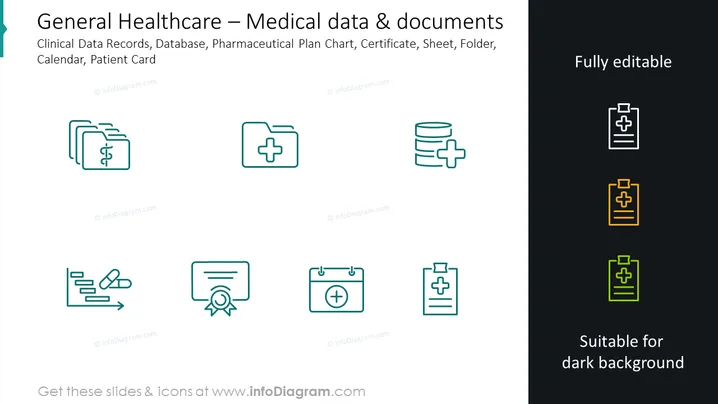
This PowerPoint slide is titled "General Healthcare – Medical data & documents" and lists various components of healthcare information management: Clinical Data Records, Database, Pharmaceutical Plan Chart, Certificate, Sheet, Folder, Calendar, Patient Card. Each item is related to the organization, storage, and retrieval of patient and health-related data. Clinical Data Records involve keeping patients' health records, while a Database refers to a structured set of data. A Pharmaceutical Plan Chart outlines medication plans, a Certificate may be proof of medical qualifications or immunizations, and a Sheet could refer to patient information sheets. A Folder is likely for organizing documents, a Calendar for scheduling, and a Patient Card is for individual patient information.
Graphical Look
- The slide background is split horizontally with dark teal on the left and black on the right.
- Centered at the top of the slide is the title in white text.
- There is a set of eight icons evenly distributed across the slide, four on each side.
- Each icon is paired with a label in light teal text.
- The icons on the left are white, while the ones on the right shift from white, yellow to green from top to bottom.
- Icons represent various items: overlapping medical folders, a medical cross, a database with a medical cross, a certification, a calendar with a medical cross, and a clipboard/patient card.
- To the right of the icons, there are texts "Fully editable" and "Suitable for dark background" in white, each corresponding to the icons on their side.
The slide employs a minimalistic and professional design with a clear division between two groups of icons, indicating different usability based on background color preferences. The choice of colors conveys a medical and clinical theme.
Use Cases
- Presenting health data management workflows in a medical or pharmaceutical company meeting.
- In an informational briefing for healthcare staff on the documentation and record-keeping systems.
- During a technology conference to showcase software solutions for healthcare data and document management.
- As visual aids in training materials for educating new employees in health administration and clinic operations.
How to Edit
How to edit text & colors

How to expand / shorten diagram

How to Replace Icons in infoDiagram PPT


