
Reviews
The icons are fantastic, easy to use, and will add value to any project or presentation. Keep up the great work.
I love how simple infoDiagram's solutions are and the personal interest they took in my work. Recommended 1000%!
The crisp, clean look of the graphics, and the fact that it allowed me to easily edit and change the colors to match the template was my main reason for purchasing them.
Description
Lighthouse Graphics Template - 4 Layers List Diagram
Slide Content
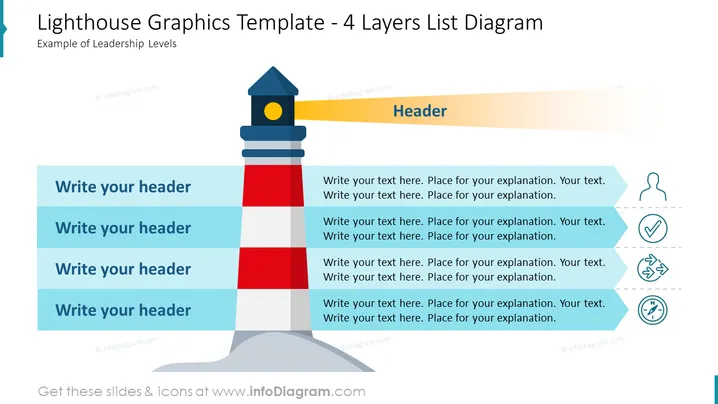
The slide is designed to represent four layers or levels of a concept, using a lighthouse as a metaphor. Each layer has a space for a header and an associated text placeholder. Starting from the base up to the top of the lighthouse, each colored segment symbolizes a different level, which can be used to denote hierarchy, stages of a process, or levels of achievement. The ocean-blue header sections suggest categories or titles, and the adjacent text boxes offer room for detailed descriptions, further enhancing the understanding of each part.
Graphical Look
- The slide background is plain white, providing a clean backdrop for the content.
- The central object is a stylized lighthouse with four distinct color segments: dark blue, red, light blue, and gray, topped with a yellow light and blue roof.
- To the left, there are four blue, horizontal banner-like shapes functioning as headers, each corresponding to a segment of the lighthouse.
- To the right, there are four text boxes with bullet points, each aligned with the lighthouse segments, for entering explanatory text.
- Each text box on the right has a simple line icon adjacent to it: a human shape, a check mark, a gear, and a compass, from top to bottom.
- The header section at the top right of the slide is mustard yellow, containing the text "Header" in a sans-serif font.
The slide has a professional and straightforward design, with a creative lighthouse graphic serving both a decorative and metaphorical role. The use of colors and icons is well balanced, offering visual cues to support the slide's content.
Use Cases
- To illustrate organizational structure or leadership levels within a company.
- For explaining step-by-step processes or stages in project development.
- To showcase levels of priority or importance in a business strategy.
- As a visual metaphor for guidance or direction in a corporate training or motivational presentation.
How to Edit
How to edit text & colors

How to expand / shorten diagram

How to Replace Icons in infoDiagram PPT


