
Reviews
Sus gráficos añaden un toque agradable a mis presentaciones y recientemente los usé para una de mis reuniones generales. Su conjunto de herramientas añade profesionalismo a mis diapositivas. En lugar de usar imágenes prediseñadas estándar.
Necesitaba un aspecto fresco para algunas de mis diapositivas. Había intentado encontrar una forma de crear un efecto de pincel, de subrayar, acentuar, añadir algo de color y los marcadores escritos a mano fueron justo lo que necesitaba. Muy fácil de usar, fácil de ajustar el tamaño, cambiar el color. Fue una solución asequible y perfecta, y estoy feliz de recomendarla.
El aspecto nítido y limpio de los gráficos, y el hecho de que me permitiera editar y cambiar fácilmente los colores para que coincidieran con la plantilla fue mi principal razón para comprarlos.
Description
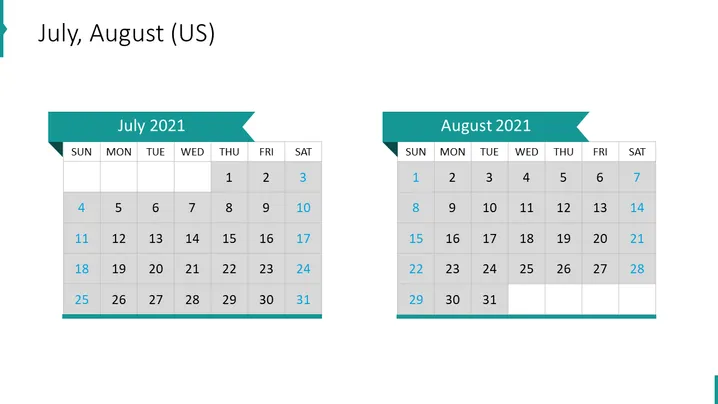
July, August (US)
Slide Content
The slide is a visual representation of the months July and August 2021 in the form of traditional calendar layouts. It serves to provide a quick reference for dates and planning purposes. Each month has its own calendar, starting with July on the left and August on the right. The calendars display days of the week horizontally at the top and align the dates in grid form underneath, with weekends highlighted in a different color to distinguish them from weekdays.
Graphical Look
- The slide background is plain white.
- There are two prominently displayed calendar blocks, each with a ribbon-shaped header in a teal color.
- The headers contain the names of the months, "July 2021" and "August 2021".
- Days of the week are labeled at the top of each calendar in bold text.
- Calendar dates are presented in grid format, with rows for weeks and columns for days.
- Saturdays and Sundays are highlighted in a light gray, standing out against the white background of the other days.
- The slide employs a simple and clean font for text.
The slide has a minimalist design with a professional appearance. The use of color highlighting for weekends makes it easy to distinguish between weekdays and the end of the week.
Use Cases
- To present project timelines and deadlines in a business environment.
- For scheduling and outlining major corporate events or meetings.
- In a workshop or seminar to highlight important dates or milestones.
- To visually aid in vacation planning or staff scheduling during a presentation.
How to Edit
How to edit text & colors

How to expand / shorten diagram

How to Replace Icons in infoDiagram PPT


