
Reviews
Sus gráficos añaden un toque agradable a mis presentaciones y recientemente los usé para una de mis reuniones generales. Su conjunto de herramientas añade profesionalismo a mis diapositivas. En lugar de usar imágenes prediseñadas estándar.
Necesitaba un aspecto fresco para algunas de mis diapositivas. Había intentado encontrar una forma de crear un efecto de pincel, de subrayar, acentuar, añadir algo de color y los marcadores escritos a mano fueron justo lo que necesitaba. Muy fácil de usar, fácil de ajustar el tamaño, cambiar el color. Fue una solución asequible y perfecta, y estoy feliz de recomendarla.
El aspecto nítido y limpio de los gráficos, y el hecho de que me permitiera editar y cambiar fácilmente los colores para que coincidieran con la plantilla fue mi principal razón para comprarlos.
Description
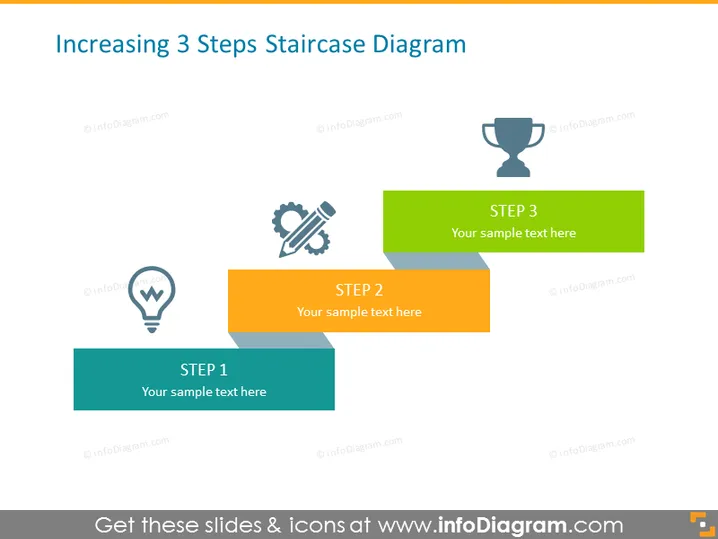
Increasing 3 Steps Staircase Diagram
Slide Content
This slide illustrates a process broken down into 3 key steps, symbolizing progression and achievement. Each step is associated with a different color and icon, representing a unique phase or element of the process. "Step 1" is depicted with a light bulb icon, implying an idea or initiation stage. "Step 2" is paired with two crossing wrenches, denoting development or construction. Finally, "Step 3" is represented by a trophy icon, suggesting the successful completion or winning of an award.
Graphical Look
- The slide uses a flat design with a white background.
- Three colored rectangles represent steps on a staircase and they overlap slightly with each other creating a 3D effect.
- Each rectangle has a distinct color: teal for "Step 1", orange for "Step 2", and green for "Step 3".
- To the left of each step rectangle, there are icons in a darker shade of grey:
- A light bulb for "Step 1"
- Crossing wrenches for "Step 2"
- A trophy for "Step 3"
- Each step has a white text box on it with placeholder text "Your sample text here".
- The slide has a clean and modern look, with plenty of white space and vibrantly colored staircase graphics that are easy to interpret at a glance.
The overall look of the slide is professional and uncluttered, using an intuitive metaphor of a staircase to convey progression. The icons are simple and clearly convey the concept associated with each step.
Use Cases
- To describe a three-phase project plan, outlining each key phase in presentations to team members or stakeholders.
- To show the step-by-step process of a product development lifecycle in an investor pitch or internal meeting.
- To illustrate progress in a training or educational presentation, mapping out stages of learning or skill acquisition.
- In a sales pitch, to explain the stages of customer engagement, from initial contact to finalizing a sale.
How to Edit
How to edit text & colors

How to expand / shorten diagram

How to Replace Icons in infoDiagram PPT


