

Your graphics add a nice touch to my presentations and I recently used them for one of my all-hands meetings. Your toolbox adds professionalism to my slides. Instead of using standard clipart.
Claude Jones, Director of Engineer, @Walmartlabs, USA

Your graphics add a nice touch to my presentations and I recently used them for one of my all-hands meetings. Your toolbox adds professionalism to my slides. Instead of using standard clipart.
Claude Jones, Director of Engineer, @Walmartlabs, USA
I needed a fresh look at some of my slides. I've tried to find a way to create a paintbrush effect, to underline, accentuate, add some color and the handwritten markers were just the things. Very easy to use, easy to size, change the color. It was an affordable, perfect solution and I'm happy to recommend it.
Anonymous, US
The crisp, clean look of the graphics, and the fact that it allowed me to easily edit and change the colors to match the template was my main reason for purchasing them.
Brandie Jenkins, E-learning Developer, USA
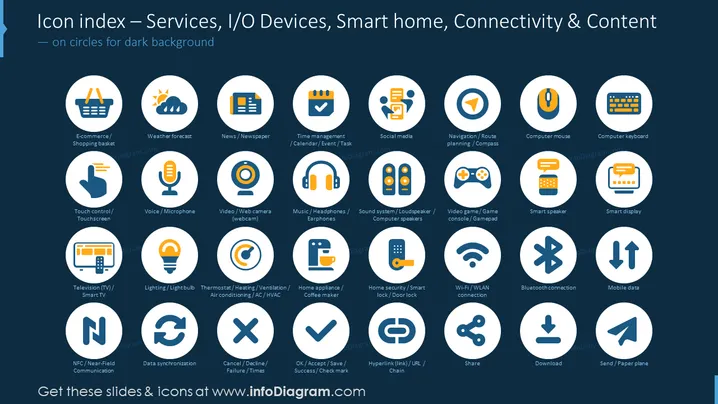
The PowerPoint slide is a visual index showcasing various icons representing Services, I/O Devices, Smart home technologies, and Connectivity & Content themes. Each icon is labeled with terms such as "E-commerce/Shopping basket," "Weather forecast," and "Touch control/Touchscreen" to explain e-commerce activities, weather-related services, and touchscreen technology, respectively. Additional icons include "Voice/Microphone," illustrating audio input devices, and "Wi-Fi/WLAN connection," indicating wireless network connectivity. This organization of icons serves as a taxonomy of modern technological services and devices, providing a comprehensive overview of digital elements in a clear and visually accessible format.
The slide exhibits a clean and modern aesthetic with a clear visual hierarchy, prioritizing readability and ease of identification of each icon. The contrasting colors and the grid layout enhance the visual appeal and organization of the slide.



