
Reviews
Sus gráficos añaden un toque agradable a mis presentaciones y recientemente los usé para una de mis reuniones generales. Su conjunto de herramientas añade profesionalismo a mis diapositivas. En lugar de usar imágenes prediseñadas estándar.
Necesitaba un aspecto fresco para algunas de mis diapositivas. Había intentado encontrar una forma de crear un efecto de pincel, de subrayar, acentuar, añadir algo de color y los marcadores escritos a mano fueron justo lo que necesitaba. Muy fácil de usar, fácil de ajustar el tamaño, cambiar el color. Fue una solución asequible y perfecta, y estoy feliz de recomendarla.
El aspecto nítido y limpio de los gráficos, y el hecho de que me permitiera editar y cambiar fácilmente los colores para que coincidieran con la plantilla fue mi principal razón para comprarlos.
Description
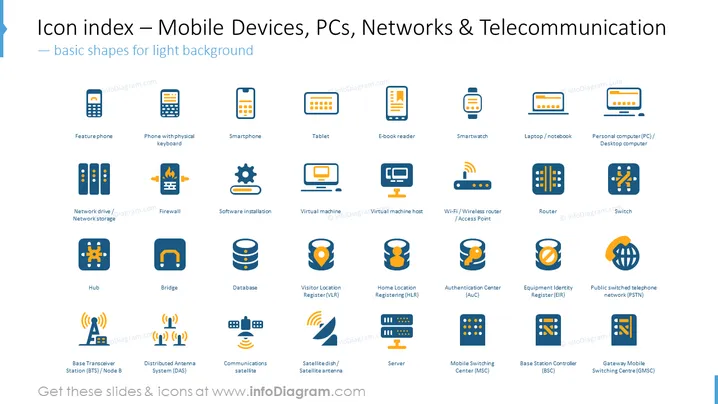
Icon index – Mobile Devices, PCs, Networks & Telecommunication
Slide Content
The PowerPoint slide is a visual index of icons related to Mobile Devices, PCs, Networks, and Telecommunication, optimized for a light background. It features a collection of colored icons with text labels beneath them. Each icon represents a different technological device or concept, ranging from various types of phones like "Featurephone," "Smartphone," and "Tablet," to networking hardware and facilities such as "Firewall," "Router," and "Server." The slide also features symbols for "Software installation," "Virtual Machine," "Wi-Fi/Wireless router," and systems like "Home Location Registering (HLR)."
Graphical Look
- The slide has a light background with a collection of colorful icons arranged in a grid layout.
- Each icon is accompanied by a text label describing the represented technology or concept.
- Icons use a flat design style with a limited color palette, primarily blue, orange, and grey.
- The icons are organized into closely aligned rows and columns, maintaining consistent spacing.
- The slide has a clean and modern look with easily identifiable symbols that maintain a uniform style.
The overall look of the slide is crisp and professional, with a clear focus on information visualization. The uniform design of icons and text makes it easy to scan and comprehensively understand.
Use Cases
- Presenting an overview of technology assets in a company during corporate meetings.
- Illustrating components in a network architecture during an IT or technical training session.
- Visual aid for sales pitches showcasing various tech products and services to potential clients.
- Enhancing communication materials, such as brochures or website content, related to tech industry offerings.
How to Edit
How to edit text & colors

How to expand / shorten diagram

How to Replace Icons in infoDiagram PPT


