

Your graphics add a nice touch to my presentations and I recently used them for one of my all-hands meetings. Your toolbox adds professionalism to my slides. Instead of using standard clipart.
Claude Jones, Director of Engineer, @Walmartlabs, USA

Your graphics add a nice touch to my presentations and I recently used them for one of my all-hands meetings. Your toolbox adds professionalism to my slides. Instead of using standard clipart.
Claude Jones, Director of Engineer, @Walmartlabs, USA
I needed a fresh look at some of my slides. I've tried to find a way to create a paintbrush effect, to underline, accentuate, add some color and the handwritten markers were just the things. Very easy to use, easy to size, change the color. It was an affordable, perfect solution and I'm happy to recommend it.
Anonymous, US
The crisp, clean look of the graphics, and the fact that it allowed me to easily edit and change the colors to match the template was my main reason for purchasing them.
Brandie Jenkins, E-learning Developer, USA
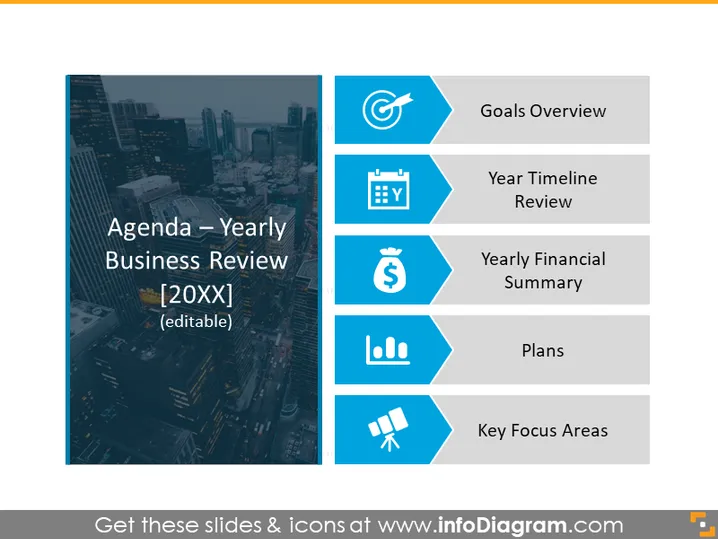
The slide presents an agenda for a Yearly Business Review with the year indicated as "[20XX]" which is editable. The agenda includes five main items. "Goals Overview" likely discusses the objectives set for the year. "Year Timeline Review" could be a retrospective look at major milestones or events over the year. "Yearly Financial Summary" probably provides a fiscal performance analysis. "Plans" might be outlining strategies or actions for the forthcoming period. "Key Focus Areas" suggests a highlight of critical sectors or projects needing attention in the upcoming year.
The overall look of the slide is professional and clean, using a consistent color palette and icons to visually categorize the agenda items. The use of shapes and whitespace is balanced, creating an organized appearance.



