
Reviews
Sus gráficos añaden un toque agradable a mis presentaciones y recientemente los usé para una de mis reuniones generales. Su conjunto de herramientas añade profesionalismo a mis diapositivas. En lugar de usar imágenes prediseñadas estándar.
Necesitaba un aspecto fresco para algunas de mis diapositivas. Había intentado encontrar una forma de crear un efecto de pincel, de subrayar, acentuar, añadir algo de color y los marcadores escritos a mano fueron justo lo que necesitaba. Muy fácil de usar, fácil de ajustar el tamaño, cambiar el color. Fue una solución asequible y perfecta, y estoy feliz de recomendarla.
El aspecto nítido y limpio de los gráficos, y el hecho de que me permitiera editar y cambiar fácilmente los colores para que coincidieran con la plantilla fue mi principal razón para comprarlos.
Description
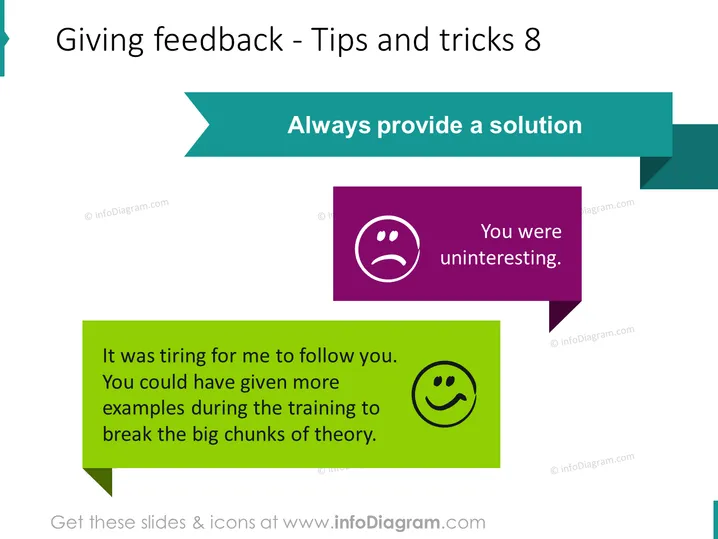
Giving feedback - Tips and tricks 8
Slide Content
The slide provides guidance on giving constructive feedback with the principle "Always provide a solution." It illustrates two contrasting approaches with examples. The first approach, "You were uninteresting," is a negative, non-constructive piece of feedback. The second approach includes a problem "It was tiring for me to follow you," followed by a solution "You could have given more examples during the training to break the big chunks of theory," demonstrating a constructive way to give feedback that aids in improvement.
Graphical Look
- A large header in dark teal with white text that reads "Giving feedback - Tips and tricks 8."
- Two speech bubble graphics, one with a frowning face icon and purple background, and the other with a smiling face icon and green background.
- The purple speech bubble contains the negative feedback text "You were uninteresting." in white font.
- The green speech bubble includes the constructive feedback "It was tiring for me to follow you. You could have given more examples during the training to break the big chunks of theory." in black font.
- A light blue-rightward arrow that points to a larger dark teal rectangle, which highlights the slide's main message "Always provide a solution."
The slide uses contrasting colors (purple and green) for visual interest with speech bubbles to represent feedback, and an arrow to direct attention to the key point. The text is clearly readable, with distinct fonts and background colors that aid in differentiating between negative and constructive feedback examples. The overall look is colorful, simple, and communicates the concept of feedback effectively with a professional appearance.
Use Cases
- During a management training session to demonstrate effective feedback techniques.
- In a workshop about communication skills, particularly on how to provide constructive criticism.
- In a performance review meeting, as a visual aid to guide managers on how to deliver feedback to their team members.
- Within educational presentations to teach students or young professionals the importance of solution-oriented feedback in a collaborative setting.
How to Edit
How to edit text & colors

How to expand / shorten diagram

How to Replace Icons in infoDiagram PPT


