
Reviews
Your graphics add a nice touch to my presentations and I recently used them for one of my all-hands meetings. Your toolbox adds professionalism to my slides. Instead of using standard clipart.
I needed a fresh look at some of my slides. I've tried to find a way to create a paintbrush effect, to underline, accentuate, add some color and the handwritten markers were just the things. Very easy to use, easy to size, change the color. It was an affordable, perfect solution and I'm happy to recommend it.
The crisp, clean look of the graphics, and the fact that it allowed me to easily edit and change the colors to match the template was my main reason for purchasing them.
Description
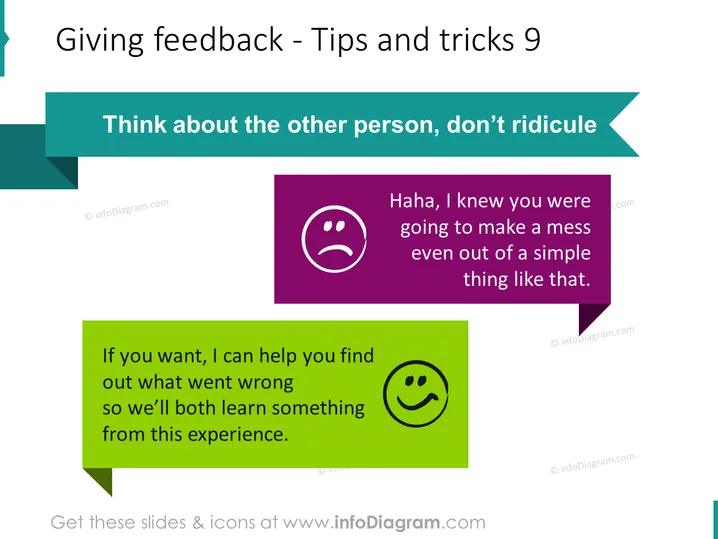
Giving feedback - Tips and tricks 9
Slide Content
The slide is about the importance of constructive feedback, emphasizing empathy and support rather than ridicule. "Think about the other person, don’t ridicule" serves as the main point, encouraging considerate communication. Two contrasting statements illustrate the concept: a negative, mocking comment, "Haha, I knew you were going to make a mess even out of a simple thing like that." and a positive, supportive one, "If you want, I can help you find out what went wrong so we’ll both learn something from this experience." This highlights the value of offering help over criticism.
Graphical Look
- The slide title "Giving feedback - Tips and tricks 9" is at the top in large, bold text.
- A teal banner stretches across the top with a cut corner on the right side, complementing the slide title.
- The central theme is presented as a quote in a large teal font, "Think about the other person, don’t ridicule," highlighted by a cut corner shape filling the back.
- Two speech bubble shapes contain text demonstrating good and bad feedback examples. The bad example is in a purple speech bubble on the right, with a frowning face icon. The positive example is in a green speech bubble on the lower left, with a smiling face icon.
- The frowning and smiling face icons within the bubbles correspond to the nature of the feedback given.
The slide has a clean design with a color scheme revolving around purple, green, and teal. The use of contrasting colors and emoticons effectively denotes the tone of the feedback examples.
Use Cases
- During workshops on communication skills, to illustrate how to give constructive feedback.
- In human resources training, emphasizing the cultural values around supportive communication.
- Within leadership seminars, to teach managers and team leaders the effects of their feedback approach.
- In personal development sessions, to encourage self-awareness in how one gives feedback to others.
How to Edit
How to edit text & colors

How to expand / shorten diagram

How to Replace Icons in infoDiagram PPT


