

Your graphics add a nice touch to my presentations and I recently used them for one of my all-hands meetings. Your toolbox adds professionalism to my slides. Instead of using standard clipart.
Claude Jones, Director of Engineer, @Walmartlabs, USA

Your graphics add a nice touch to my presentations and I recently used them for one of my all-hands meetings. Your toolbox adds professionalism to my slides. Instead of using standard clipart.
Claude Jones, Director of Engineer, @Walmartlabs, USA
I needed a fresh look at some of my slides. I've tried to find a way to create a paintbrush effect, to underline, accentuate, add some color and the handwritten markers were just the things. Very easy to use, easy to size, change the color. It was an affordable, perfect solution and I'm happy to recommend it.
Anonymous, US
The crisp, clean look of the graphics, and the fact that it allowed me to easily edit and change the colors to match the template was my main reason for purchasing them.
Brandie Jenkins, E-learning Developer, USA
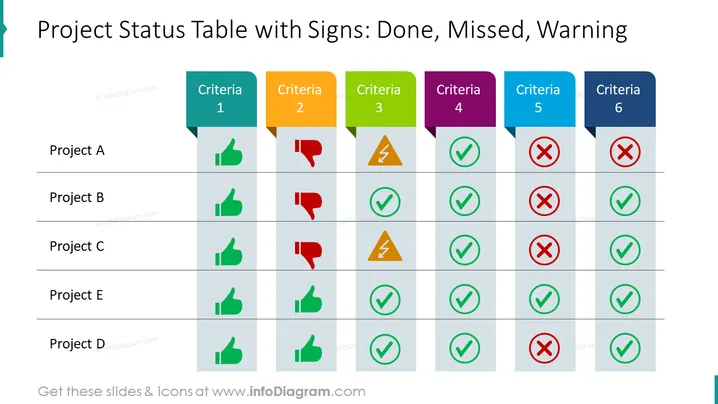
The slide presents a matrix-like project status overview with six different criteria listed horizontally along the top and five projects labeled A through E listed vertically. Each project is evaluated against the criteria with the use of distinct colored icons—thumbs up (green) indicates "Done", thumbs down (red) signifies "Missed", warning sign (yellow) denotes a caution signaling "Warning", and a red "X" connotes tasks that have not been accomplished.
The overall look of the slide is clean and straightforward with a clear color-coded system for quick visual assessment of project statuses. The use of colored icons against a grey table helps to focus the viewer's attention on the completion status.



