
Reviews
Ihre Grafiken verleihen meinen Präsentationen eine nette Note, und ich habe sie kürzlich für eines meiner All-Hands-Meetings verwendet. Ihre Toolbox verleiht meinen Folien Professionalität, anstatt Standard-Clipart zu verwenden.
Ich brauchte einen neuen Blick auf einige meiner Folien. Ich habe versucht, einen Weg zu finden, einen Pinselschlag-Effekt zu erzielen, um zu unterstreichen, hervorzuheben, Farbe hinzuzufügen, und die handgeschriebenen Markierungen waren genau das Richtige. Sehr einfach zu bedienen, leicht in der Größe zu ändern, die Farbe zu ändern. Es war eine erschwingliche, perfekte Lösung und ich empfehle sie gerne weiter.
Die klare, saubere Optik der Grafiken und die Tatsache, dass ich die Farben leicht bearbeiten und an die Vorlage anpassen konnte, war mein Hauptgrund für den Kauf.
Description
Slide Content
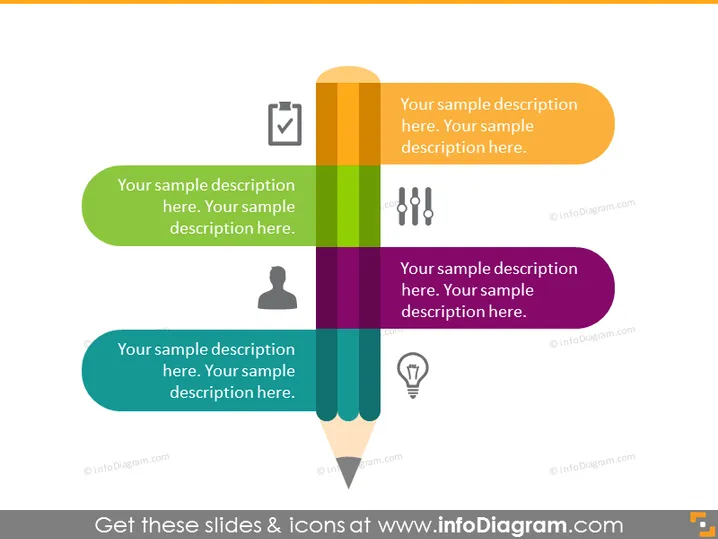
The PowerPoint slide presents a visual metaphor for describing four different concepts or stages. Each stage is symbolized by a colored pencil shape, with a unique icon on each pencil to represent different ideas or tasks. The first pencil is accompanied by a checklist icon, suggesting tasks or steps that need verification. The second uses a user icon, possibly indicating a focus on customer or user experience. The third pencil features a speech bubble, which could relate to communication or feedback, and the fourth displays a light bulb, typically representing ideas or innovation. Each pencil has space for text, allowing for a brief explanation of each concept.
Graphical Look
- A set of four vertically aligned, colored pencils, each with a different color and icon.
- Each pencil has an accompanying chat bubble-like shape for text descriptions, matching the color of the pencil.
- Icons on pencils from top to bottom are a checkbox, a personal user silhouette, a speech bubble, and a light bulb, symbolizing different ideas or steps in a process.
- The background of the slide is a neutral, light gray, ensuring that the colorful pencils and text bubbles stand out.
- The pencils are arranged to look like a bar graph, increasing in height from left to right.
The overall look of the slide is colorful and creative, with a playful yet professional design that uses the pencil metaphor to visually distinguish different elements or stages. The icons on the pencils are simple and easily recognizable, suggesting common themes in business and communication.
Use Cases
- To outline the different stages of a project or workflow in a business presentation, where each pencil represents a distinct phase.
- As a visual aid during brainstorming sessions to categorize ideas into themes such as tasks, people, communication, and innovation.
- To highlight a step-by-step process in educational materials where visual cues help with memory and understanding.
- In marketing presentations to represent different aspects of a campaign, such as planning, targeting, engagement, and creative ideas.
How to Edit
How to edit text & colors

How to expand / shorten diagram

How to Replace Icons in infoDiagram PPT


