
Reviews
Sus gráficos añaden un toque agradable a mis presentaciones y recientemente los usé para una de mis reuniones generales. Su conjunto de herramientas añade profesionalismo a mis diapositivas. En lugar de usar imágenes prediseñadas estándar.
Necesitaba un aspecto fresco para algunas de mis diapositivas. Había intentado encontrar una forma de crear un efecto de pincel, de subrayar, acentuar, añadir algo de color y los marcadores escritos a mano fueron justo lo que necesitaba. Muy fácil de usar, fácil de ajustar el tamaño, cambiar el color. Fue una solución asequible y perfecta, y estoy feliz de recomendarla.
El aspecto nítido y limpio de los gráficos, y el hecho de que me permitiera editar y cambiar fácilmente los colores para que coincidieran con la plantilla fue mi principal razón para comprarlos.
Description
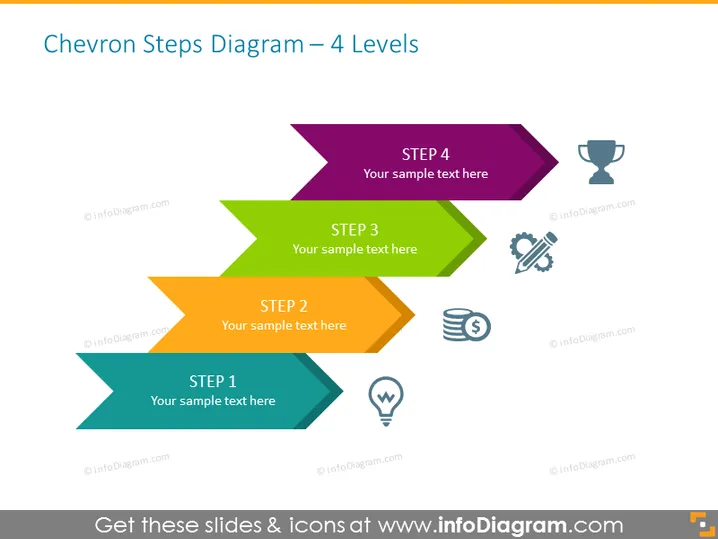
Chevron Steps Diagram – 4 Levels
Slide Content
The slide presents a four-step process using a chevron arrow diagram. Each step is represented by a chevron arrow, with STEP 1 at the bottom in teal, STEP 2 above it in orange, STEP 3 in green, and STEP 4 at the top in purple. Each arrow points to the right, signifying progression. Next to each step, there are icons symbolizing different concepts: STEP 1 is paired with a light bulb, representing an idea; STEP 2 has a stack of coins, indicating finance or cost considerations; STEP 3 shows gears, which suggests process or mechanics; STEP 4 has a trophy, implying a goal or achievement.
Graphical Look
- The slide consists of four rightward-pointing chevron arrows stacked vertically.
- The top three arrows overlap the bottoms of the ones above them.
- Each arrow has a distinct color: dark teal, orange, green, and purple from bottom to top.
- To the right of each arrow, small, simple icons correspond to each step.
- The background of the slide is white, accentuating the colorful chevrons.
- Icons include a light bulb, stacked coins, a gear with a wrench, and a trophy, each with a muted color scheme.
- The text is positioned inside each of the chevrons, in white, making it stand out against the solid colors.
- Each chevron arrow has the word "STEP" followed by a numerical identifier, with a placeholder text "Your sample text here".
The slide is clean and modern in design, with bold colors and simple icons to visually distinguish each step of a process. The chevron design leads the viewer's eye across the slide, effectively communicating progression or advancement.
Use Cases
- Outlining the phases of a project or business initiative, highlighting the progression from conception to completion.
- Presenting a step-by-step guide in instructional or training materials within an organization.
- Demonstrating strategic planning by elaborating on key stages and their associated tasks or objectives.
- Reviewing milestones in project management meetings to discuss progress and next steps.
How to Edit
How to edit text & colors

How to expand / shorten diagram

How to Replace Icons in infoDiagram PPT


