
Reviews
Sus gráficos añaden un toque agradable a mis presentaciones y recientemente los usé para una de mis reuniones generales. Su conjunto de herramientas añade profesionalismo a mis diapositivas. En lugar de usar imágenes prediseñadas estándar.
Necesitaba un aspecto fresco para algunas de mis diapositivas. Había intentado encontrar una forma de crear un efecto de pincel, de subrayar, acentuar, añadir algo de color y los marcadores escritos a mano fueron justo lo que necesitaba. Muy fácil de usar, fácil de ajustar el tamaño, cambiar el color. Fue una solución asequible y perfecta, y estoy feliz de recomendarla.
El aspecto nítido y limpio de los gráficos, y el hecho de que me permitiera editar y cambiar fácilmente los colores para que coincidieran con la plantilla fue mi principal razón para comprarlos.
Description
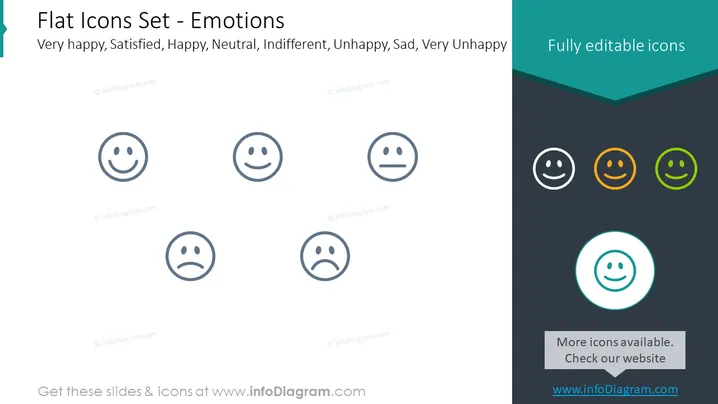
Flat Icons Set - Emotions
Slide Content
The PowerPoint slide presents a collection of flat icons representing a spectrum of human emotions ranging from "Very happy" to "Very Unhappy". Each icon depicts a stylized facial expression corresponding to emotions: "Very happy" shows an elated face, "Satisfied" has a content expression, "Happy" displays a broad smile, "Neutral" a straight line mouth, "Indifferent" a small frown, "Unhappy" a deeper frown, "Sad" has downturned eyes and mouth, and "Very Unhappy" shows a face with a significant frown and sorrowful eyes.
Graphical Look
- The slide has a clean and minimalistic design with a white background.
- A set of seven grey-scale emoticon icons is aligned horizontally across the middle, depicting various emotions.
- Each icon is enclosed in a thin circular outline.
- On the right side, there is a dark teal section with three colored emoticons – orange and two shades of green – highlighting the feature of full editability.
- A circular teal icon at the bottom right is emphasizing that more icons are available and includes a call to action to visit the website.
- Text elements include the slide title, a list of emotions each icon represents, and two branding messages emphasizing editability and additional resources.
The overall look is modern with a focus on simplicity, utilizing contrasting colors to draw attention to key elements.
Use Cases
- To visually represent customer satisfaction levels in a business or market research presentation.
- For displaying user feedback or emotional responses in product design or UX/UI discussions.
- To enhance internal company training materials on emotional intelligence or customer service strategies.
- In social media strategy presentations to depict various audience reactions to content.
How to Edit
How to edit text & colors

How to expand / shorten diagram

How to Replace Icons in infoDiagram PPT


