
Reviews
Your slides are my 'secret sauce' when it comes to visualising my ideas to clients. I'm saving so much time.
InfoDiagram has been a wonderful resource since I found the product site a few years ago.
Your slides often generate good comments and ideas from my team that improve the final slides.
Description
Retail Finance Icons
Slide Content
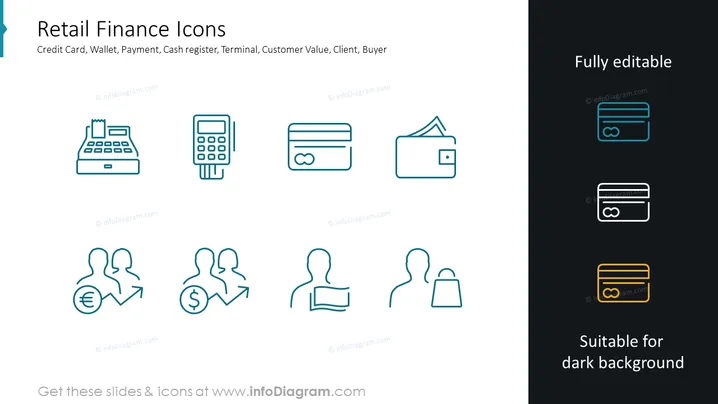
The slide titled "Retail Finance Icons" represents various elements associated with retail finance through a collection of stylized icons. It includes imagery for a credit card, wallet, payment methods, a cash register, a payment terminal, and symbols denoting customer value, client, and buyer. Each icon succinctly portrays the key components of financial transactions within a retail setting, suggesting their use in customer engagements and payment processing.
Graphical Look
- The slide background is divided into two main colors, white on the left and dark grey on the right.
- A series of eight light blue icons are evenly distributed across the slide. Icons include a cash register, payment terminal, credit card, and wallet.
- Below each graphic are smaller person icons that represent customer interaction aspects like customer value, with accompanying arrows and currency symbols.
- The icons on the right have a darker outline to represent editability and visibility against darker backgrounds.
- The slide uses minimalistic flat design, with simple lines and no gradients or shadows for a modern, clean aesthetic.
The overall look of the slide is clean and professional, using a split-color background to distinguish between regular and dark background-friendly icons. The icons have a unified style which makes the slide visually coherent.
Use Cases
- Presenting payment options and consumer financial engagement methods in a retail business strategy meeting.
- Illustrating point-of-sale systems and customer transaction processes in retail staff training sessions.
- Visualizing customer value propositions in marketing materials or investor presentations.
- Enhancing retail finance sections in brochures or website design with visually appealing icons.
How to Edit
How to edit text & colors

How to expand / shorten diagram

How to Replace Icons in infoDiagram PPT


