
Reviews
Sus gráficos añaden un toque agradable a mis presentaciones y recientemente los usé para una de mis reuniones generales. Su conjunto de herramientas añade profesionalismo a mis diapositivas. En lugar de usar imágenes prediseñadas estándar.
Necesitaba un aspecto fresco para algunas de mis diapositivas. Había intentado encontrar una forma de crear un efecto de pincel, de subrayar, acentuar, añadir algo de color y los marcadores escritos a mano fueron justo lo que necesitaba. Muy fácil de usar, fácil de ajustar el tamaño, cambiar el color. Fue una solución asequible y perfecta, y estoy feliz de recomendarla.
El aspecto nítido y limpio de los gráficos, y el hecho de que me permitiera editar y cambiar fácilmente los colores para que coincidieran con la plantilla fue mi principal razón para comprarlos.
Description
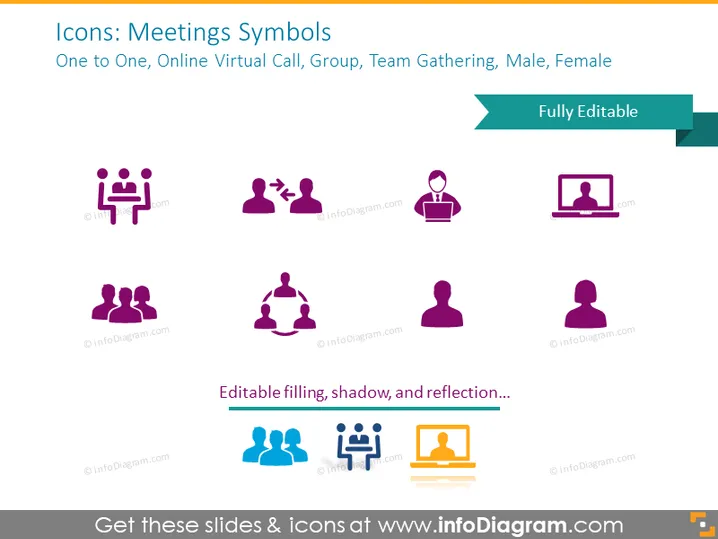
Icons: Meetings Symbols
Slide Content
The PowerPoint slide is titled "Icons: Meetings Symbols" and details various icons representing meeting types and participant configurations. There's "One to One" illustrating a face-to-face interaction, "Online Virtual Call" signifying a person in front of a computer screen suggesting remote communication, "Group" implying a collective assembly, "Team Gathering" indicating a collaborative team environment, "Male" and "Female" icons representing gender diversity within teams or meetings. Each concept demonstrates different meeting dynamics and participant compositions.
Graphical Look
- The slide background is a solid light color.
- The title "Icons: Meetings Symbols" is prominent at the top of the slide with subtitle text underneath.
- There are eight icons equally spaced across the slide in two rows.
- The first row shows four icons on a lighter shade background than the second row.
- The second row contains four icons, each with a slight gradient fill, against a slightly darker background.
- Each icon is accompanied by a label text below it, identifying the type of meeting symbol it represents.
- There is a stylized ribbon on the top right corner labeled "Fully Editable."
- The icons have a simple, flat design, utilizing at most two colors each, primarily purple, with some blue and orange accents.
The slide has a modern and clean aesthetic, with a clear hierarchy of information, focusing on visual representation through icons with minimal text to convey the message. The design is flat and vector-based, promoting easy scalability and clarity.
Use Cases
- To visually represent different meeting types in a corporate presentation.
- For educational purposes, to teach about various communication modes in a business environment.
- As part of a user guide or manual illustrating the functionalities of communication software.
- During a workshop or seminar to facilitate discussion about effective meeting formats and participant roles.
How to Edit
How to edit text & colors

How to expand / shorten diagram

How to Replace Icons in infoDiagram PPT


