
Reviews
Your graphics add a nice touch to my presentations and I recently used them for one of my all-hands meetings. Your toolbox adds professionalism to my slides. Instead of using standard clipart.
I needed a fresh look at some of my slides. I've tried to find a way to create a paintbrush effect, to underline, accentuate, add some color and the handwritten markers were just the things. Very easy to use, easy to size, change the color. It was an affordable, perfect solution and I'm happy to recommend it.
The crisp, clean look of the graphics, and the fact that it allowed me to easily edit and change the colors to match the template was my main reason for purchasing them.
Description
Environmental Outline Icons Set – Ecology
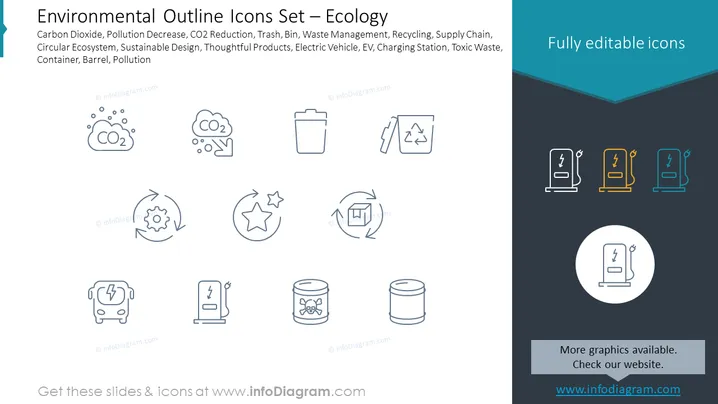
Slide Content: The slide presents a collection of icons related to environmental and ecological aspects. They represent concepts such as carbon dioxide, advocating for the reduction of pollution; trash bins, for waste management; recycling symbols, promoting the circular ecosystem; gear with leaves, symbolizing sustainable design; a star surrounded by arrows, representing thoughtful products; an electric vehicle (EV) icon, for clean transportation; a charging station, for EV infrastructure; a toxic waste container, highlighting hazardous materials; and a barrel, likely indicative of pollution or storage of pollutants.
Graphical Look:
- The slide background is split into two colors: light gray on the top and dark gray on the bottom.
- There are nine icons arranged in three rows, each with a descriptive text beneath them.
- Each icon is a simple line drawing with a minimalist and modern style.
- The icons are evenly spaced and aligned both horizontally and vertically, creating a grid-like arrangement.
- The lines of each icon are the same thickness, providing visual consistency.
- The text accompanying each icon is blue and of the same font and size, enhancing readability.
- On the right side, there is a larger section with a dark blue background and a subtitle "Fully editable icons" in white text.
- Additionally, in the bottom right corner, there is a circular icon, also in the "fully editable" section, highlighted with a lighter background.
- The notification regarding full editability of icons on the right side is using a contrasting teal color to stand out.
The overall look of the slide is clean, professional, and easy to understand. The icons are designed to be simple and easily recognizable, which would help in quickly conveying environmental concepts in a visual manner.
Use Cases:
- Presenting environmental initiatives or policies in corporate settings.
- Enhancing educational materials on ecology or sustainability topics.
- Providing visual aids during environmental or sustainability workshops and seminars.
- Incorporating into marketing materials to highlight a company's commitment to eco -friendly practices.
How to Edit
How to edit text & colors

How to expand / shorten diagram

How to Replace Icons in infoDiagram PPT


