
Reviews
Ihre Grafiken verleihen meinen Präsentationen eine nette Note, und ich habe sie kürzlich für eines meiner All-Hands-Meetings verwendet. Ihre Toolbox verleiht meinen Folien Professionalität, anstatt Standard-Clipart zu verwenden.
Ich brauchte einen neuen Blick auf einige meiner Folien. Ich habe versucht, einen Weg zu finden, einen Pinselschlag-Effekt zu erzielen, um zu unterstreichen, hervorzuheben, Farbe hinzuzufügen, und die handgeschriebenen Markierungen waren genau das Richtige. Sehr einfach zu bedienen, leicht in der Größe zu ändern, die Farbe zu ändern. Es war eine erschwingliche, perfekte Lösung und ich empfehle sie gerne weiter.
Die klare, saubere Optik der Grafiken und die Tatsache, dass ich die Farben leicht bearbeiten und an die Vorlage anpassen konnte, war mein Hauptgrund für den Kauf.
Description
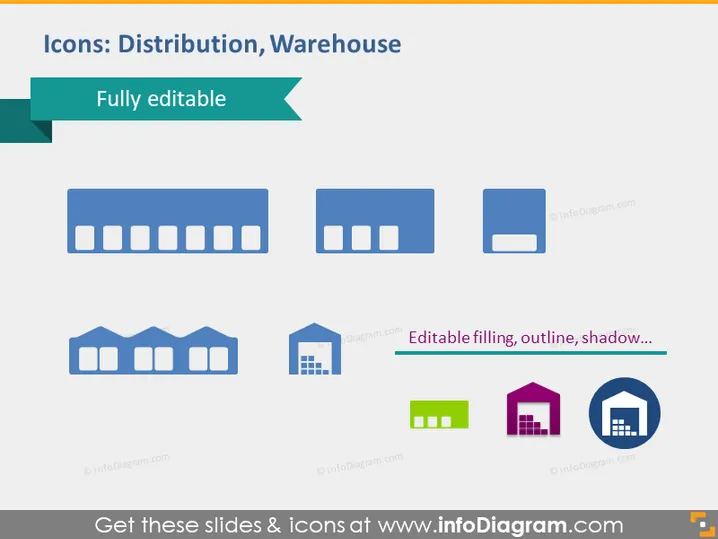
Icons: Distribution, Warehouse
Slide Content
The PowerPoint slide titled "Icons: Distribution, Warehouse" appears to showcase a variety of warehouse and distribution-related icons that are noted as "Fully editable." These icons seem to represent different styles and structures of buildings typically used for storage and logistics purposes. There are seven main icons displayed, each depicting warehouses with variations in their design, suggesting different types of storage facilities or distribution centers.
Graphical Look
- The slide background is plain white for a clean and minimalist look.
- The slide title uses a large, bold font and is placed at the top within a dark text box with a green ribbon design element on the left side, indicating the category of the icons.
- A subtitle "Fully editable" is superimposed on a green ribbon banner just below the title, suggesting the customization capability of the icons.
- Seven icons are aligned horizontally across the center of the slide; they are simple and stylized representations of distribution centers or warehouses.
- The icons vary in color, with the majority being shades of blue, green, and magenta, following a cohesive color palette.
- Each icon varies slightly in design, indicating different types of warehouses or features.
- One icon, in particular, is highlighted with specific attributes listed beside it: "Editable filling, outline, shadow..." which implies the customizability of the elements of the icons.
- The icons are displayed with a soft shadow effect, giving a sense of depth on the slide.
The slide has a modern and professional appearance with a focus on clarity and visual simplicity. The icons are designed to be intuitive and representative of various warehouse and distribution facilities.
Use Cases
- To illustrate different facilities in logistics and supply chain management presentations.
- As visual aids in training materials explaining warehouse operations and management.
- In a corporate strategy presentation to highlight distribution center expansions or modifications.
- For graphical representation in marketing collateral aimed at businesses in the transportation and storage sectors.
How to Edit
How to edit text & colors

How to expand / shorten diagram

How to Replace Icons in infoDiagram PPT


