
Reviews
Ihre Grafiken verleihen meinen Präsentationen eine nette Note, und ich habe sie kürzlich für eines meiner All-Hands-Meetings verwendet. Ihre Toolbox verleiht meinen Folien Professionalität, anstatt Standard-Clipart zu verwenden.
Ich brauchte einen neuen Blick auf einige meiner Folien. Ich habe versucht, einen Weg zu finden, einen Pinselschlag-Effekt zu erzielen, um zu unterstreichen, hervorzuheben, Farbe hinzuzufügen, und die handgeschriebenen Markierungen waren genau das Richtige. Sehr einfach zu bedienen, leicht in der Größe zu ändern, die Farbe zu ändern. Es war eine erschwingliche, perfekte Lösung und ich empfehle sie gerne weiter.
Die klare, saubere Optik der Grafiken und die Tatsache, dass ich die Farben leicht bearbeiten und an die Vorlage anpassen konnte, war mein Hauptgrund für den Kauf.
Description
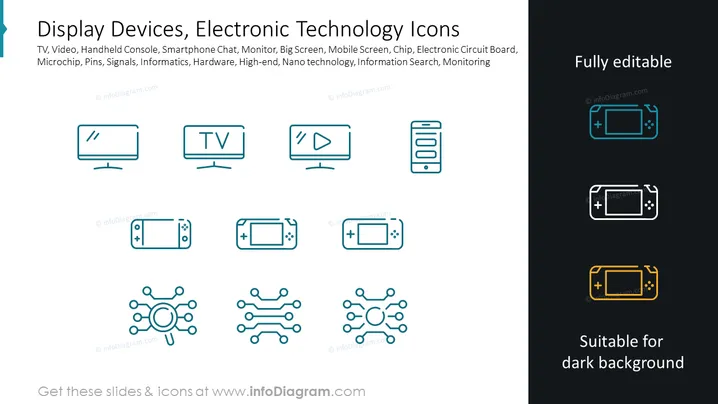
Display Devices, Electronic Technology Icons
Slide Content: This PowerPoint slide is titled "Display Devices, Electronic Technology Icons" and lists various related items: TV, Video, Handheld Console, Smartphone Chat, Monitor, Big Screen, Mobile Screen, Chip, Electronic Circuit Board, Microchip, Pins, Signals, Informatics, Hardware, High-end, Nanotechnology, Information Search, Monitoring. Each concept refers to different aspects and applications of electronic technology; for instance, "TV" and "Big Screen" imply entertainment and display technology, "Chip" and "Electronic Circuit Board" denote components central to electronic devices, "Nanotechnology" indicates advanced technology at a microscopic scale, and "Information Search" and "Monitoring" suggest uses in data retrieval and system management.
Graphical Look:
- The slide has a clean, minimalist design featuring a dark slate blue background.
- The title is set in a white, bold, sans-serif font at the top of the slide.
- Just below the title, there's a longer explanatory text in a smaller font, enumerating various technology-related items.
- Eight icons are arranged in two rows of four, each representing different electronic devices or concepts.
- Each icon is a simple, outline style pictogram with a teal color.
- The three icons on the right-hand side feature a different color overlay of teal, white, and orange respectively, indicating various options for customization.
- The words "Fully editable" and "Suitable for dark background" are displayed in a bold sans-serif font in teal and white on the right in alignment with the colored icon versions.
- The website "www.infoDiagram.com" is mentioned in a subtle font at the bottom left corner and related to the colored icon variations.
The overall design of the slide is modern and professional. The use of flat design icons with a consistent style and color palette provides an intuitive visual representation of the technology concepts being presented.
Use Cases:
- To introduce different technologies in a corporate training session, focusingon the various types of hardware and applications used within the company.
- For a sales presentation demonstrating the range of tech products offered by a company.
- In a strategic meeting, to discuss potential areas of technological development or investment.
- As part of a marketing pitch, to showcase a company's expertise in electronic technology and highlight their offerings in a visually appealing manner.
How to Edit
How to edit text & colors

How to expand / shorten diagram

How to Replace Icons in infoDiagram PPT


