
Reviews
Sus gráficos añaden un toque agradable a mis presentaciones y recientemente los usé para una de mis reuniones generales. Su conjunto de herramientas añade profesionalismo a mis diapositivas. En lugar de usar imágenes prediseñadas estándar.
Necesitaba un aspecto fresco para algunas de mis diapositivas. Había intentado encontrar una forma de crear un efecto de pincel, de subrayar, acentuar, añadir algo de color y los marcadores escritos a mano fueron justo lo que necesitaba. Muy fácil de usar, fácil de ajustar el tamaño, cambiar el color. Fue una solución asequible y perfecta, y estoy feliz de recomendarla.
El aspecto nítido y limpio de los gráficos, y el hecho de que me permitiera editar y cambiar fácilmente los colores para que coincidieran con la plantilla fue mi principal razón para comprarlos.
Description
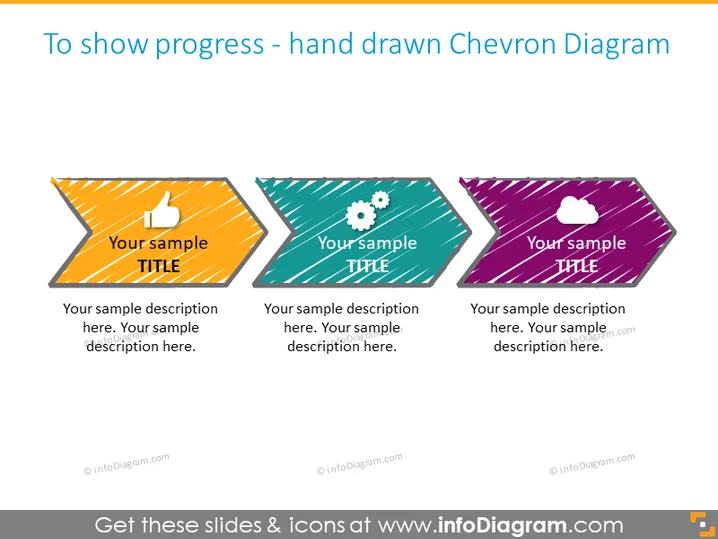
To show progress - hand drawn Chevron Diagram
Slide Content
The slide seems to be presenting a hand-drawn Chevron Diagram used to depict progress in stages. There are three Chevron graphics representing different steps or phases, indicated by three different titles and descriptions. "Your sample TITLE" signifies placeholder text, implying that each Chevron is intended to be customized with specific titles and descriptions for a presentation.
Graphical Look
- Three Chevron shapes aligned horizontally, each with a separate color (orange with stripes, teal with dots, and purple with diagonal lines).
- Each Chevron includes an icon: a thumbs-up on the first, gears on the second, and a cloud on the third.
- A handwritten style font is used for both the title "Your sample TITLE" and the descriptive text, which reinforces the hand-drawn theme.
- Placeholder text for titles and descriptions to demonstrate where users can customize content.
The slide has a playful, informal visual style characterized by the hand-drawn chevron shapes and sketchy font. Its vivid colors and creative patterns within each shape add visual interest.
Use Cases
- To display project phases or steps in a business process during a presentation.
- For illustrating milestones in project development or timelines.
- To visualize progress in a team meeting when discussing objectives and goals.
- In educational settings, to describe stages in learning or assignment completion.
How to Edit
How to edit text & colors

How to expand / shorten diagram

How to Replace Icons in infoDiagram PPT


