

Your graphics add a nice touch to my presentations and I recently used them for one of my all-hands meetings. Your toolbox adds professionalism to my slides. Instead of using standard clipart.
Claude Jones, Director of Engineer, @Walmartlabs, USA

Your graphics add a nice touch to my presentations and I recently used them for one of my all-hands meetings. Your toolbox adds professionalism to my slides. Instead of using standard clipart.
Claude Jones, Director of Engineer, @Walmartlabs, USA
I needed a fresh look at some of my slides. I've tried to find a way to create a paintbrush effect, to underline, accentuate, add some color and the handwritten markers were just the things. Very easy to use, easy to size, change the color. It was an affordable, perfect solution and I'm happy to recommend it.
Anonymous, US
The crisp, clean look of the graphics, and the fact that it allowed me to easily edit and change the colors to match the template was my main reason for purchasing them.
Brandie Jenkins, E-learning Developer, USA
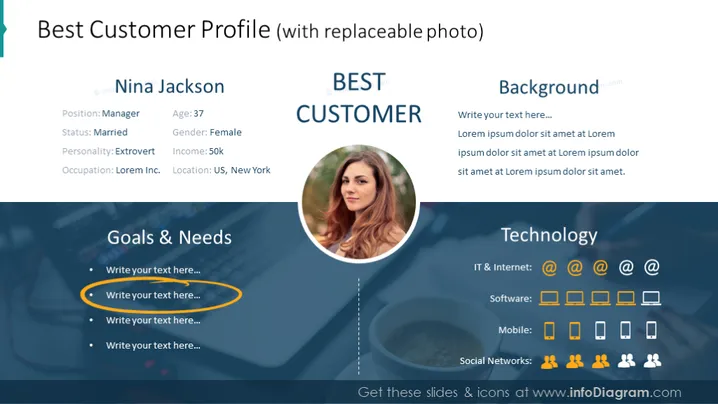
The slide is titled "Best Customer Profile" and centers around a character named Nina Jackson, who is depicted as the ideal customer. Nina is categorized with personal information such as her being a 37-year-old married extrovert, a manager also with a specified income. There are sections such as "Goals & Needs" and "Technology," suggesting areas where the presenter could elaborate on the customer's interests and technological preferences. The "Background" section provides space for context about the customer's history or situation.
The overall look of the slide is sleek and professional, employing a consistent color scheme and clear, modern graphics to convey the information about a customer profile effectively.



