

Your graphics add a nice touch to my presentations and I recently used them for one of my all-hands meetings. Your toolbox adds professionalism to my slides. Instead of using standard clipart.
Claude Jones, Director of Engineer, @Walmartlabs, USA

Your graphics add a nice touch to my presentations and I recently used them for one of my all-hands meetings. Your toolbox adds professionalism to my slides. Instead of using standard clipart.
Claude Jones, Director of Engineer, @Walmartlabs, USA
I needed a fresh look at some of my slides. I've tried to find a way to create a paintbrush effect, to underline, accentuate, add some color and the handwritten markers were just the things. Very easy to use, easy to size, change the color. It was an affordable, perfect solution and I'm happy to recommend it.
Anonymous, US
The crisp, clean look of the graphics, and the fact that it allowed me to easily edit and change the colors to match the template was my main reason for purchasing them.
Brandie Jenkins, E-learning Developer, USA
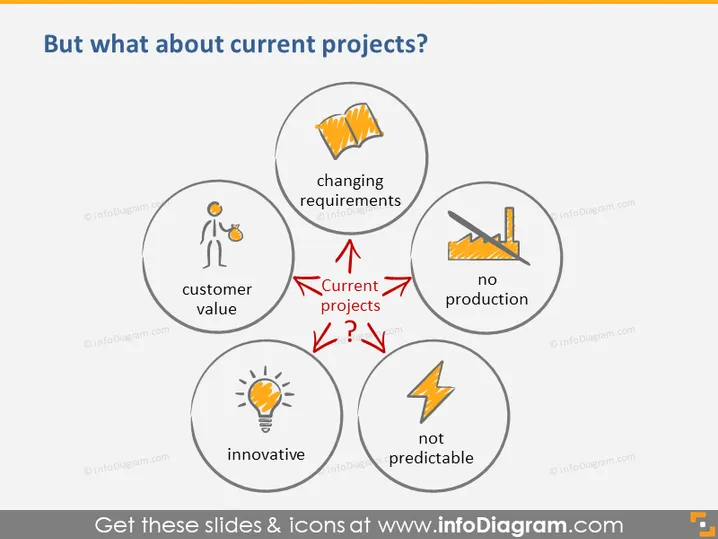
The PowerPoint slide is discussing challenges that current projects may face, as indicated by the central question "But what about current projects?" surrounded by four circular graphics. Each graphic represents a different concept: "changing requirements," "no production," "innovative," and "customer value." These concepts suggest areas of focus or concern for ongoing projects, such as evolving project specifications, halted production, the need for innovation, or the importance of delivering customer value.
The slide is clean and well-organized, using a limited color palette to focus attention on the key concepts. The central placement of the arrows and question marks draws the viewer's eye to consider how these concepts are connected and impact current projects.



