
Reviews
Sus gráficos añaden un toque agradable a mis presentaciones y recientemente los usé para una de mis reuniones generales. Su conjunto de herramientas añade profesionalismo a mis diapositivas. En lugar de usar imágenes prediseñadas estándar.
Necesitaba un aspecto fresco para algunas de mis diapositivas. Había intentado encontrar una forma de crear un efecto de pincel, de subrayar, acentuar, añadir algo de color y los marcadores escritos a mano fueron justo lo que necesitaba. Muy fácil de usar, fácil de ajustar el tamaño, cambiar el color. Fue una solución asequible y perfecta, y estoy feliz de recomendarla.
El aspecto nítido y limpio de los gráficos, y el hecho de que me permitiera editar y cambiar fácilmente los colores para que coincidieran con la plantilla fue mi principal razón para comprarlos.
Description
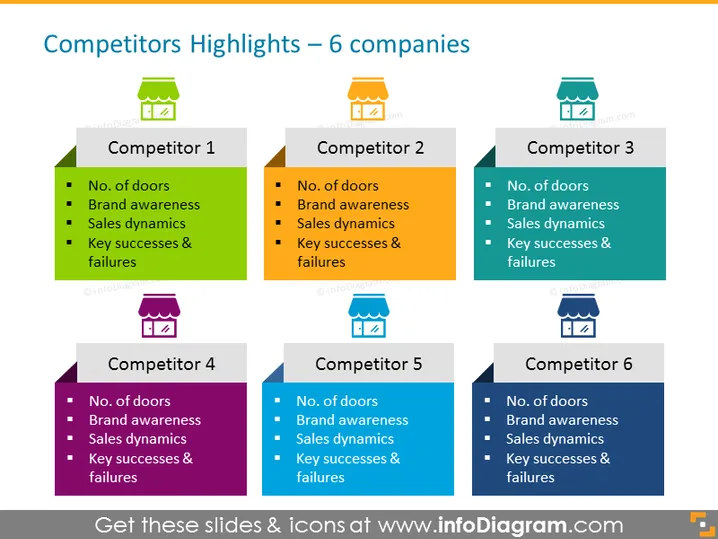
Competitors Highlights – 6 companies
Slide Content
The slide is titled "Competitors Highlights – 6 companies" and is structured to analyze and compare six different competitors across four key metrics. Each competitor is represented in its own colored box with an icon and a corresponding number above it, from 1 to 6. The four metrics are "No. of doors," which may refer to product variety or market access; "Brand awareness," indicating the level of recognition each brand has; "Sales dynamics," likely illustrating the sales performance or growth over time; and "Key successes & failures," summarizing each competitor's strengths and weaknesses in their strategies or results.
Graphical Look
- The title of the slide is set against a white background in a large, bold, sans-serif font.
- Six colored rectangular shapes are arranged in two rows, representing each of the six competitors.
- Each rectangle contains a unique color (green, orange, teal, purple, blue, and navy) to distinctly represent each competitor.
- At the top of each rectangle is a small icon of a shop or store with a roof, accompanied by numbers 1 through 6 signifying the competitors.
- Inside each rectangle is a list of four bullet points, with dark squares as bullets, summarizing the competitors' key metrics.
- The overall layout is a grid, clean and organized, with a white background surrounding the colored rectangles.
The slide has a professional and clean design with a clear grid layout, facilitating easy comparison between competitors. The use of color-coding and simple icons allows for quick identification and distinction among the different companies.
Use Cases
- Presenting a competitive analysis report in a business strategy meeting.
- Summarizing market research findings to stakeholders, illustrating where a company stands relative to its competitors.
- Using during investor presentations to showcase market positioning and competitive advantages.
- Incorporating into marketing strategy sessions to identify opportunities and threats in the marketplace.
How to Edit
How to edit text & colors

How to expand / shorten diagram

How to Replace Icons in infoDiagram PPT


