
Reviews
The icons are fantastic, easy to use, and will add value to any project or presentation. Keep up the great work.
I love how simple infoDiagram's solutions are and the personal interest they took in my work. Recommended 1000%!
The crisp, clean look of the graphics, and the fact that it allowed me to easily edit and change the colors to match the template was my main reason for purchasing them.
Description
Slide Content
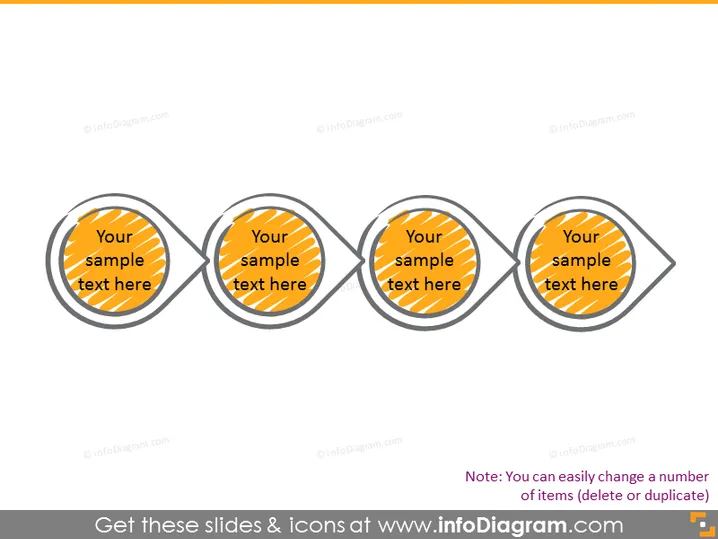
The PowerPoint slide appears to represent a process or a sequence of four steps. Each step is encapsulated within its own circular icon, connected by a line that suggests a flow or progression from one step to the next. The text "Your sample text here" indicates placeholders where personalized content relevant to each step can be added.
Graphical Look
- There are four connected circular icons, evenly spaced across the slide.
- Each icon has a double outline, with a dark outer ring and a lighter inner ring.
- Inside each circle, there is a striped orange background pattern that adds visual texture.
- A bold, sans-serif font is used for the placeholder text within each icon.
- Connecting lines between the circles are in gray, emphasizing the sequence.
The overall look of the slide is modern and visually appealing, with a clear depiction of a step-by-step process through connected icons. The use of color contrast and patterns makes the slide lively and engaging.
Use Cases
- Illustrating the phases of a project timeline during a business presentation.
- Outlining the steps in a company's strategic plan or process flow.
- Displaying a sequence of events in a product development cycle.
- Explaining a multi-step procedure in a training or instructional presentation.
How to Edit
How to edit text & colors

How to expand / shorten diagram

How to Replace Icons in infoDiagram PPT


