
Reviews
Deine Folien sind meine 'geheime Zutat', wenn es darum geht, meine Ideen Kunden zu visualisieren. Ich spare so viel Zeit.
Ihre Folien führen oft zu guten Kommentaren und Ideen meines Teams, die die endgültigen Folien verbessern.
Description
Camera Lens Illustration Circle with 7 Sectors & Icons
Slide Content
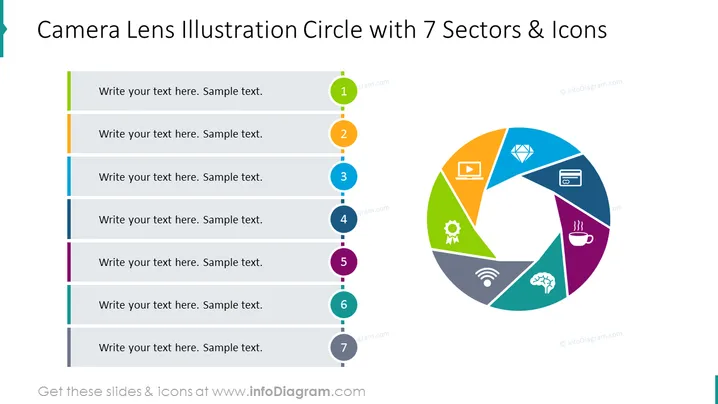
The PowerPoint slide titled "Camera Lens Illustration Circle with 7 Sectors & Icons" depicts a diagram that visually represents seven elements, ideas, or steps through a stylized camera lens graphic. Each sector is associated with a unique icon to symbolize different concepts or categories, such as communication, technology, or finance, and is color-coded for clear differentiation. Next to each sector of the lens, there's space for text to add descriptions or explanations for each of the seven elements.
Graphical Look
- The slide features a large circle on the right side, partitioned into seven distinct segments of various colors, resembling a camera lens or pie chart.
- Each segment contains a unique icon representing different concepts (a video player icon, a diamond icon, a payment card icon, a cogwheel icon, a WiFi signal icon, a cloud computing icon, and a coffee cup icon).
- To the left of the circular graphic, there is a vertical dotted line, connecting colored rectangular shapes to each respective segment of the lens.
- Each colored shape aligns with the corresponding segment color and contains a number from 1 to 7, indicating the sequence.
- There are seven text boxes aligned with the colored shapes, each with placeholder text for additional details.
The visual design of the slide is contemporary and vibrant, with a colorful palette that segments information clearly. The use of icons within each sector of the circle adds a layer of intuitive understanding for the viewer.
Use Cases
- To depict a process or workflow that has seven steps or stages in a corporate presentation.
- For introducing and explaining various services or features offered by a company or product.
- In educational or training settings to outline the components of a complex concept or system.
- To represent a multi-faceted business strategy or marketing plan in a visually engaging format.
How to Edit
How to edit text & colors

How to expand / shorten diagram

How to Replace Icons in infoDiagram PPT


